20
11 INTERACTIVE COOKING
11.6 - MANAGEMENT ICS/EXTRA PROGRAMS
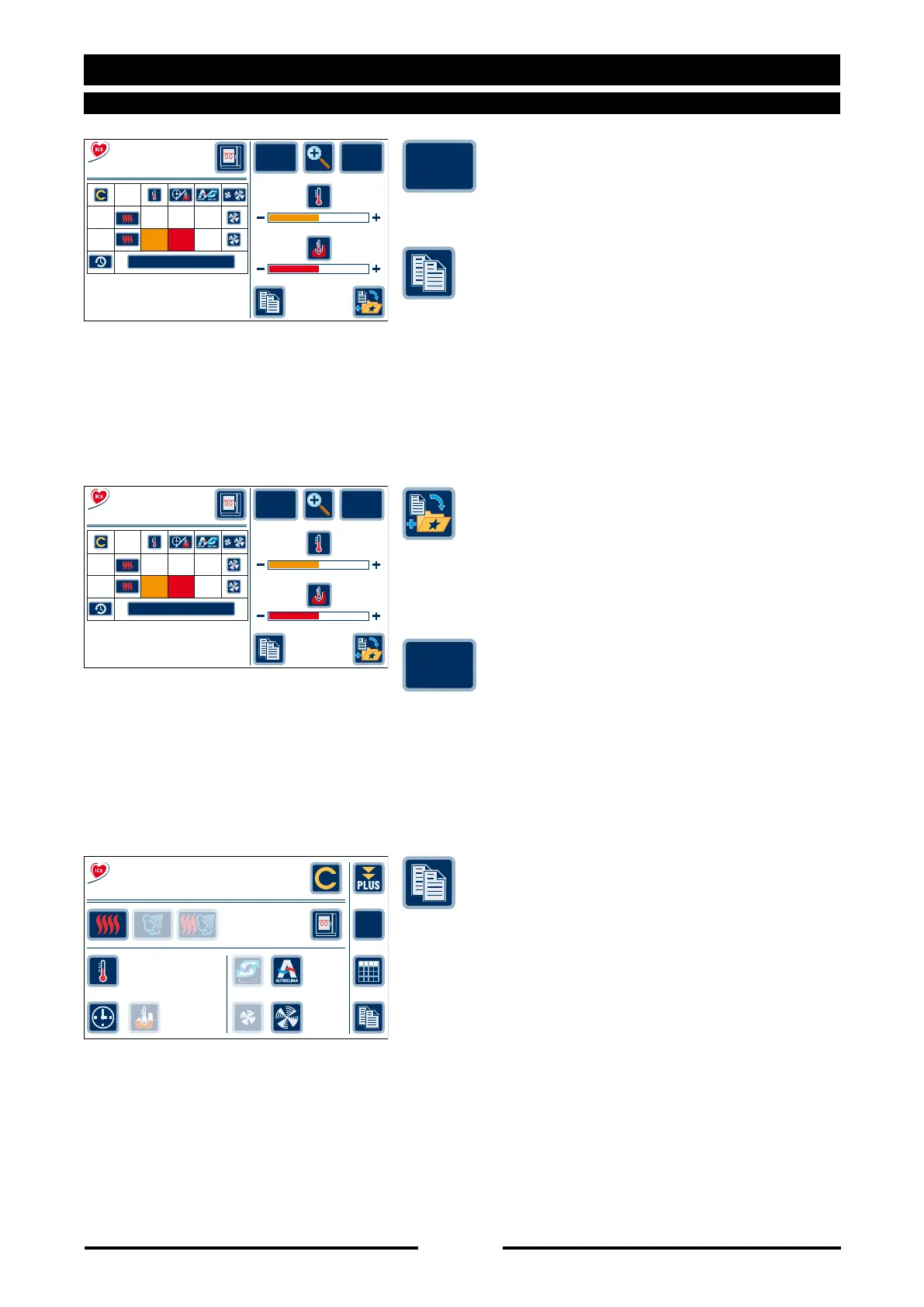
parameters, these settings can be saved
by pressing the “Save Setting” key.
of the personalized program in the user
programs (see Programs chapter).
NOTE: If the program already exists in the
“User programs” a progressive number is
added to the file name. Example: “Crepés-
flan” becomes “Crepés-flan(001)”.
the program to the list of favourite recipes
in the main menu.
screen.
unsatisfactory or surplus to requirements,
press “Restore original” to reinstate the
preset recipe.
key to create a copy of the program
complete with personalized cycles in the
user programs (see Programs chapter).
NOTE: If the program already exists in the
“User programs” a progressive number is
added to the file name. Example: “Crepés-
flan” becomes “Crepés-flan(001)”.
Save
setting
Restore
original
90027560rev00
Save
setting
Browning
Cooking
Degree
07’
180°
Modify the recipe
CYCLES
Crepes-flan
First cour..
Mode
1
2
170°
180°
10’
07’
60%
20%
Restore
original
Save
setting
Browning
Cooking
Degree
07’
180°
Modify the recipe
CYCLES
Crepes-flan
First cour..
Mode
1
2
170°
180°
10’
07’
60%
20%
Restore
original
02/02
CYCLES
07’
180°
SET
180°
%
20
Crepes-flan
First cour..
01/09/11
15.35





 To Next Page