Package Contents
Ensure the included items is completed before using this machine.
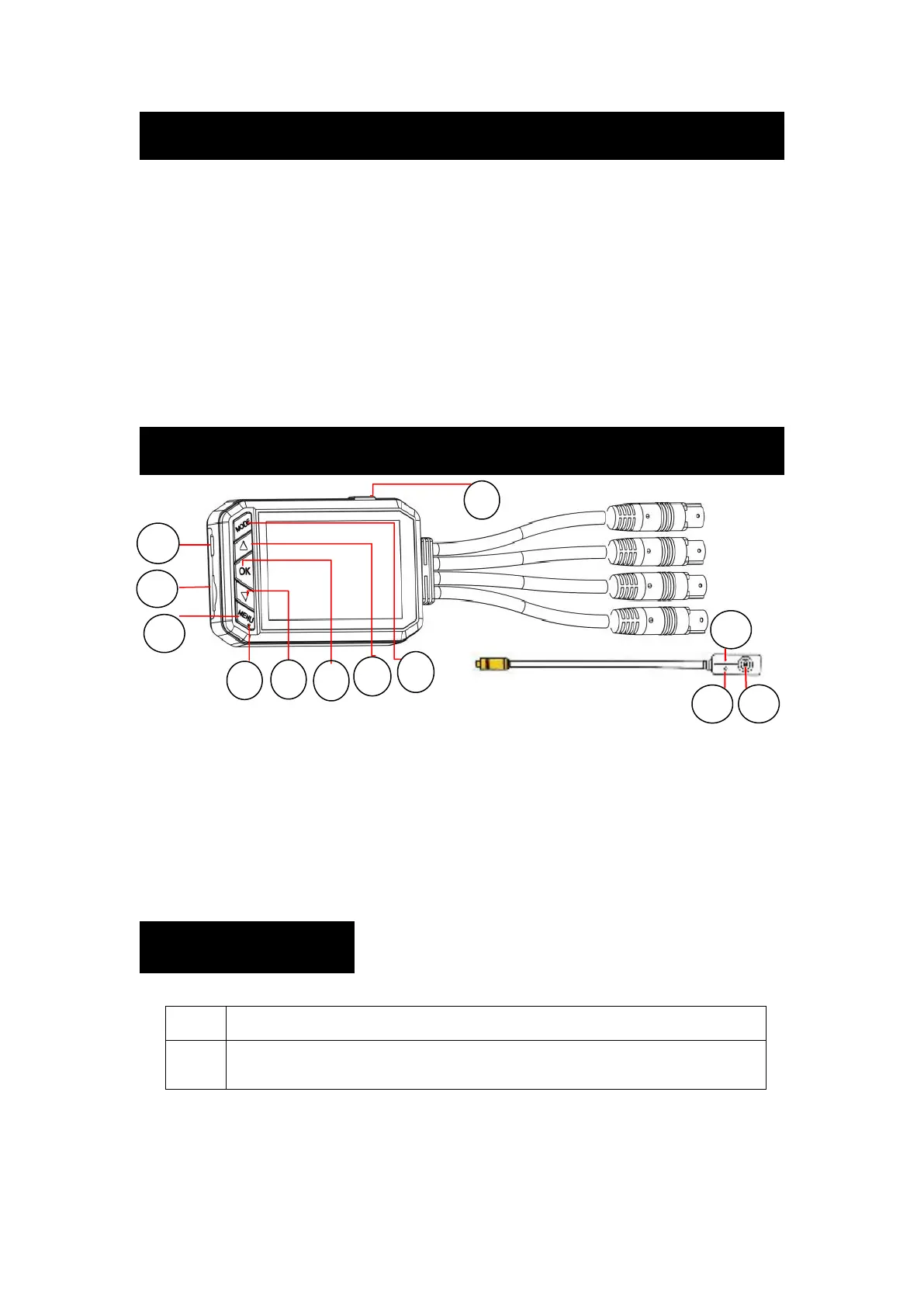
Component Name
LED Indicator
Recording Blue light off Stop recording Blue light on
Charging Red light on Full charge Red light off
4
.
Test Power Cable(Micro USB Cable) ×1
※The front and rear cameras can be switched for general purpose use.
1/10.LED Indicator 2.Micro USB Port 3.Micro SD Card Slot
4.Power Button 5.Mode Button 6.UP Move Button
7.OK Button 8.Down Move Button 9.Menu Button
11.Microphone 12.Screen Shot / SOS Recording
The detailed function of button, please refer to page 4.


 To Next Page