18
PROGRAMMING GCCO-C
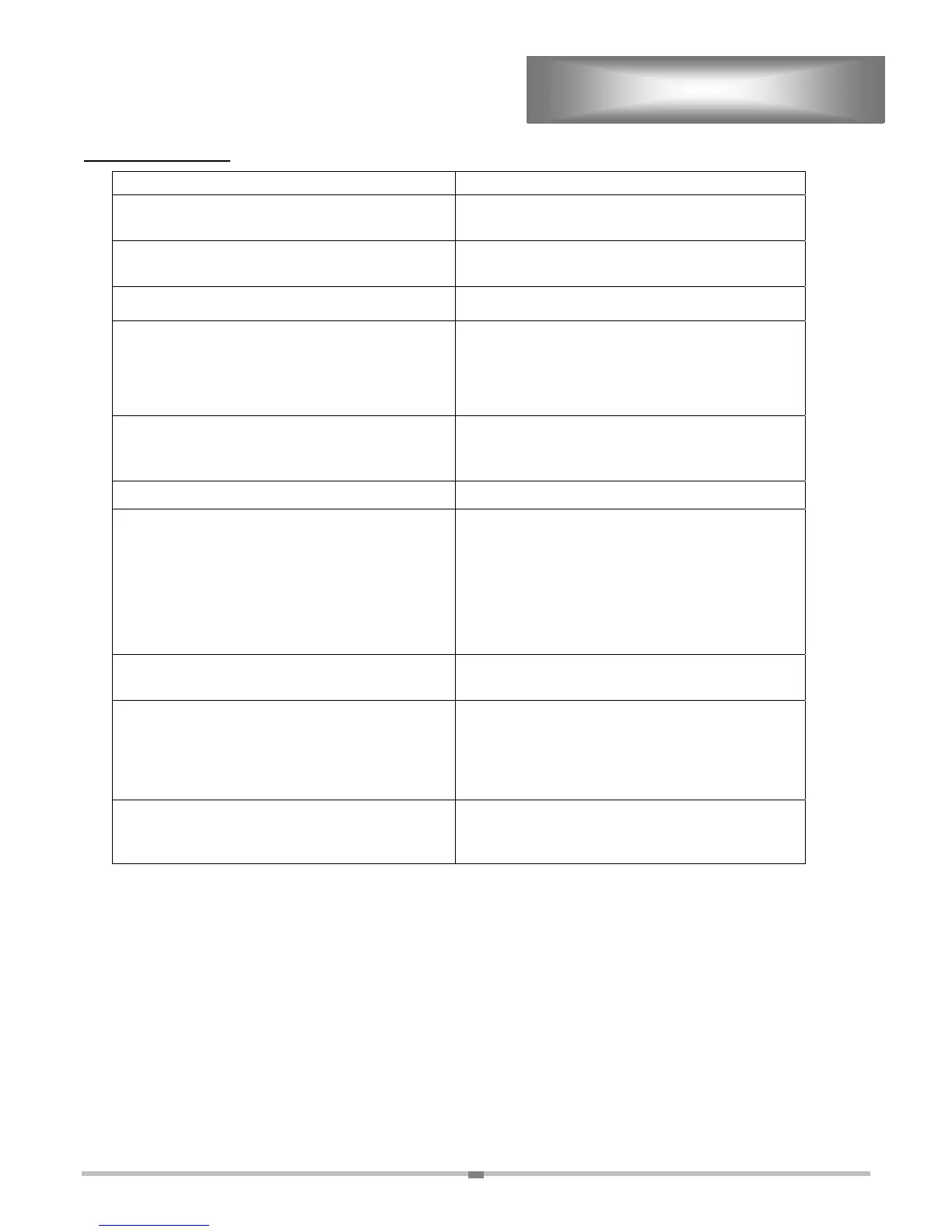
PROGRAMMING
ACTION DISPLAY
Turn the power switch on. If the oven is already on,
turn it off and then back on.
enter
Quickly enter access code “R/C 1 6 2 7 3 8”. Do
not hold the R/C button.
prod
Select a Product number from 0-9.
St: 00
Select amount of time that product should steam. If
no steam is required press the shelf “A” button to
advance to the next step.
Note: If oven is not strapped for steam convection
then this step will not be provided.
000°F
Select a Temperature from 150°F-450°F.
NOTE: Entering “000” will erase the existing
program.
CC0-7
Select the desired cooking curve from 0-7.
Fano12
Enter a desired Fan setting.
“0” (nofan) Will make the fan pulse with the heat.
“1” (fanonhi) Will make the fan run on high
continuously.
“2” (fanonlo) Will make the fan run on low
continuously.
00: 00: 00
Enter the desired cooking time
(hours:minutes:seconds)
000°f
The program is now entered for a single tier
program, press the “E” button to continue
programming other products. If the program is a
multi tiered program continue by programming the
next tiers. When complete press the “E” button.
prod
When the programs have been completely entered
press the “R/C” button to save and exit the
programming cycle.
enter



 To Next Page