Sending Scan Files by E-mail
26
2
F Press [OK].
G Press [OK] twice.
M Enter a message if necessary.
Note
❒ For details about the maximum
number of characters that can
be entered, see p.122 “E-mail”.
❒ When a message has been en-
tered, this information is added
to the scan file.
❒ The messages that can be select-
ed from the list must be regis-
tered in [System Settings] in
advance. See Network Guide.
❒ A message can be selected from
the list or entered directly.
Selecting a message from the list
A Press [Subject / Message].
B Press [E-mail Message].
C Select a message.
D Press [OK] twice.
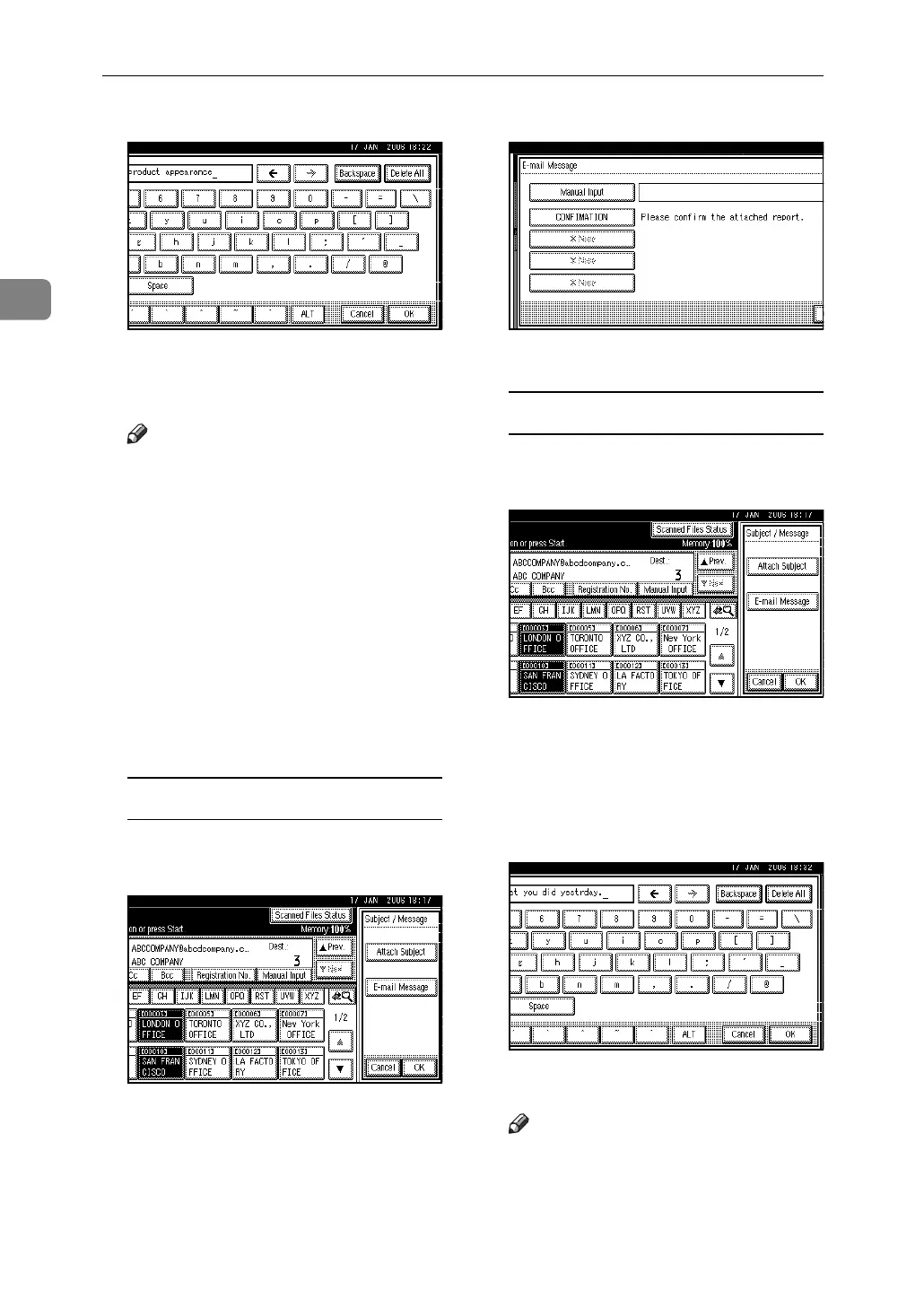
Manual entry of a message
A Press [Subject / Message].
B Press [E-mail Message].
C Press [Manual Input].
The soft keyboard appears.
D Enter the message “Thank you
for what you did yesterday”.
E Press [OK] three times.
N Press the {Start} key.
Note
❒ For details about the maximum
size of the scan file and maxi-
mum number of pages that can
be sent, see p.122 “E-mail”.



 To Next Page