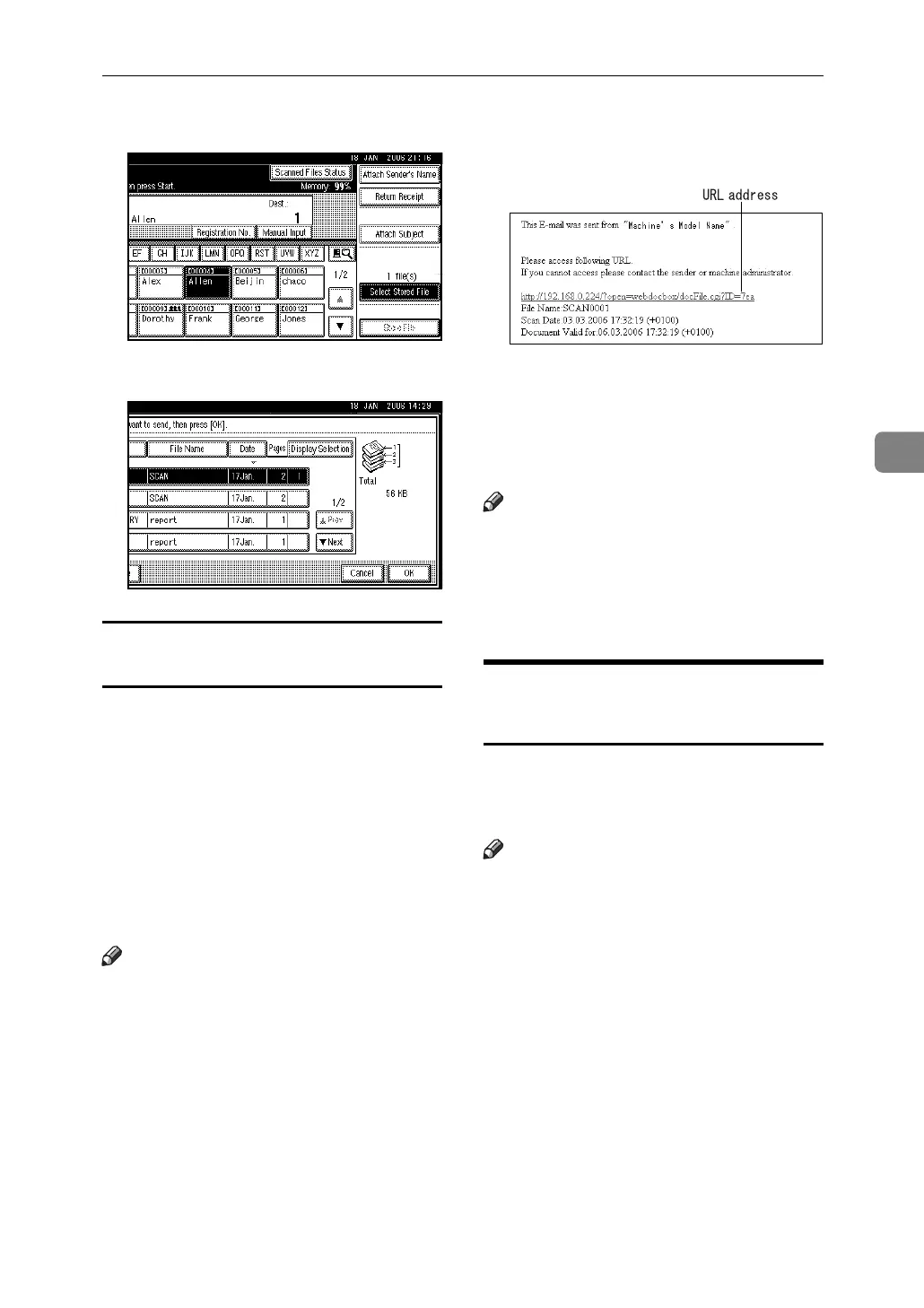
Displaying the List of Stored Files
55
4
I Press [Select Stored File].
J Press [Cancel].
Sending URL addresses of stored files
by e-mail
Using this setting, you can e-mail
only URL addresses of stored file lo-
cations, instead of attaching the files
to the e-mail. Transmitted URL ad-
dresses allow a stored file to be
viewed, deleted, or downloaded over
the network using Web Image Moni-
tor. This is useful if you cannot attach
files to the e-mail due to network re-
strictions.
Note
❒ Settings for the above functions
must be made in advance in [Scan-
ner Features]. See p.112 “Stored File
E-mail Method”.
❒ For details about transmission pro-
cedure, see p.54 “Sending Stored
Files by E-mail or Scan to Folder,
or Delivering”.
❒ You can send URL addresses by e-
mail and files by Scan to Folder si-
multaneously.
Below is a sample e-mail received at
the destination when sending the
URL address by e-mail.
If you click the transmitted URL ad-
dress, Web Image Monitor opens to
enable viewing, deleting, and down-
loading over the network of the file
stored at the location.
Note
❒ Depending on the operating envi-
ronment, clicking the transmitted
URL address may not open the
Web browser allowing files to be
viewed.
Checking Stored Files from a
Client Computer
You can view the list of stored files
from a client computer using Desk-
TopBinder and Web Image Monitor.
Note
❒ You can also view the files stored
under the copy, Document Server,
and printer functions.
❒ The illustration used in the follow-
ing explanation is an example. The
items that actually appear on the
screen may differ, depending on
the model in use and the environ-
ment.



 To Next Page