Sending Scan Files by Scan to Folder
40
3
Note
❒ Computer and shared folder
names consisting of more
than 12 characters cannot be
displayed.
❒ If the client computer you
want to select is not dis-
played, press [Up One Level]
and then search for the client
computer.
❒ The maximum number of cli-
ent computers and shared
folders that can be displayed
is 100.
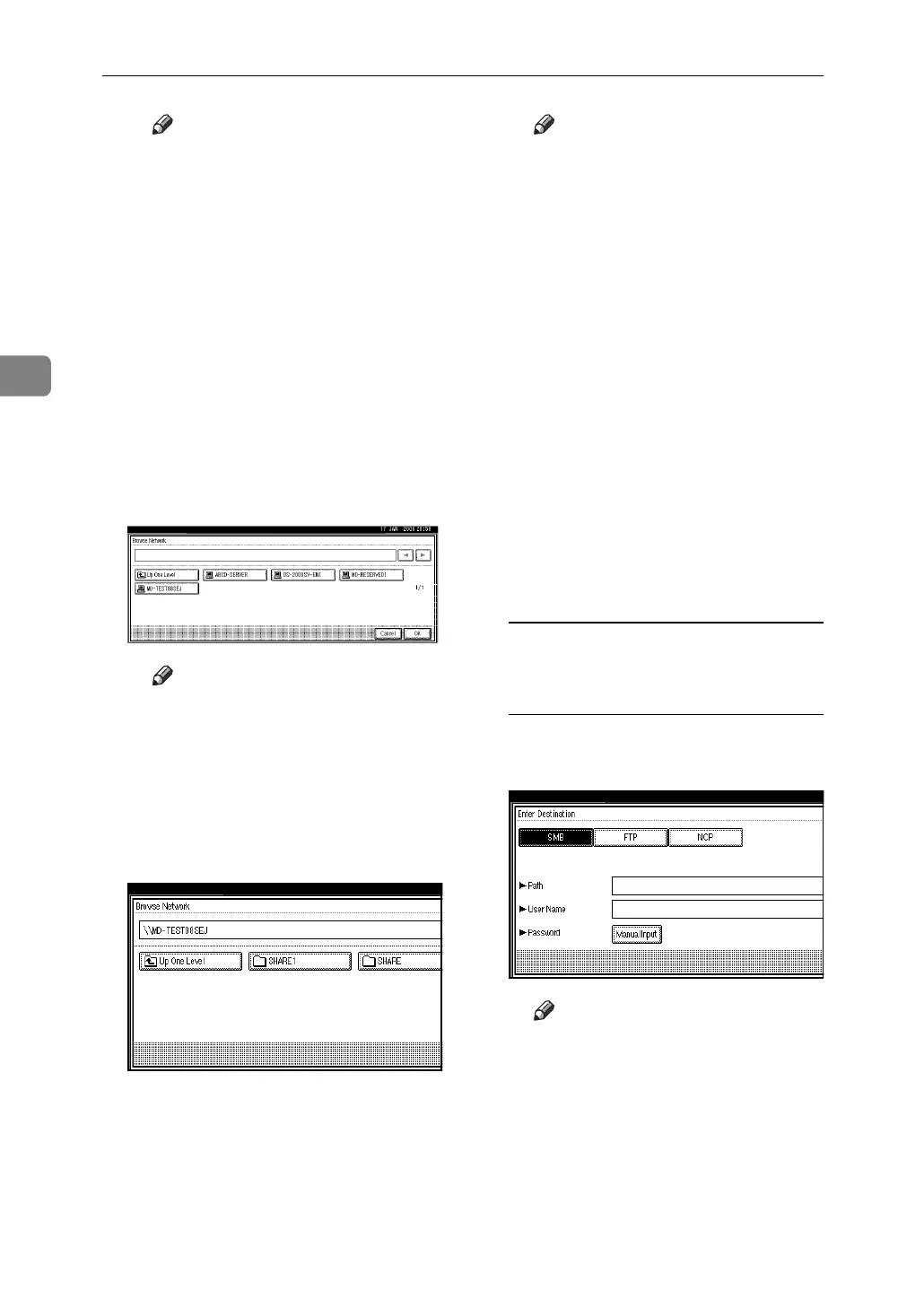
D Select the client computer that
has the destination folder.
Note
❒ If authentication is required
for the selected computer, a
log-on screen appears. Enter
the user name and password.
The list of folders on the select-
ed computer appears.
E Select the destination folder.
Note
❒ When the selected folder has
sub-folders, the sub-folders
list appears.
❒ If you cannot find the desti-
nation folder, press [Up One
Level] and then search for the
folder at that level.
❒ If authentication is required
for the selected folder, a log-
on screen appears. Enter the
user name and password.
❒ The machine may fail to
transfer the file if writing au-
thority is lacking or if there is
not enough free space on the
hard disk.
F Press [OK].
G Press [OK].
Selecting a destination folder in
an NDS tree or on a NetWare
server
A Press [Enter Destination].
B Press [NCP].
Note
❒ If you try to switch to a pro-
tocol from one for which
[Path], [User Name] or [Pass-
word] is specified, a message
asking you to confirm the
protocol change appears.



 To Next Page