NCA-1516 User Manual
28
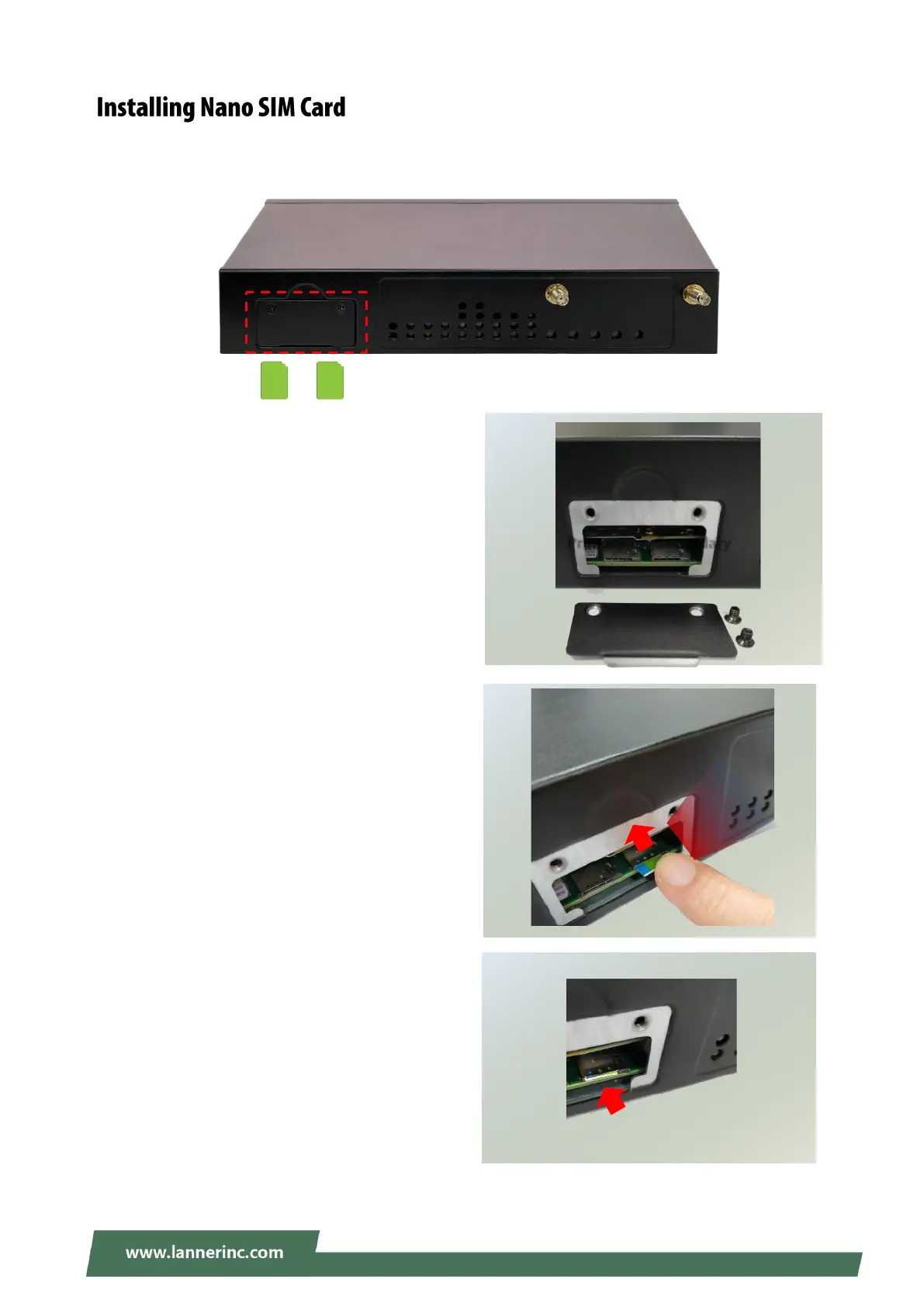
The SIM slot on front panel supports an LTE module. The SIM socket supports the push-push mechanism,
allowing inserting and ejecting the SIM card to be as easy as one push.
1. Loosen the two screws that secure the SIM slot
cover and remove the slot cover. With the angled
corner facing inward, push the SIM card all the
way in until it clicks into place.
2. With the angled corner facing inward, push the
SIM card all the way in until it clicks into place.
3. To remove the SIM card, use your fingertip to
push it a little to have the card automatically
ejected.



 To Next Page