92
APPENDIX E: PEG PORT CONFIGURATION FOR
ALTERNATIVE CPU
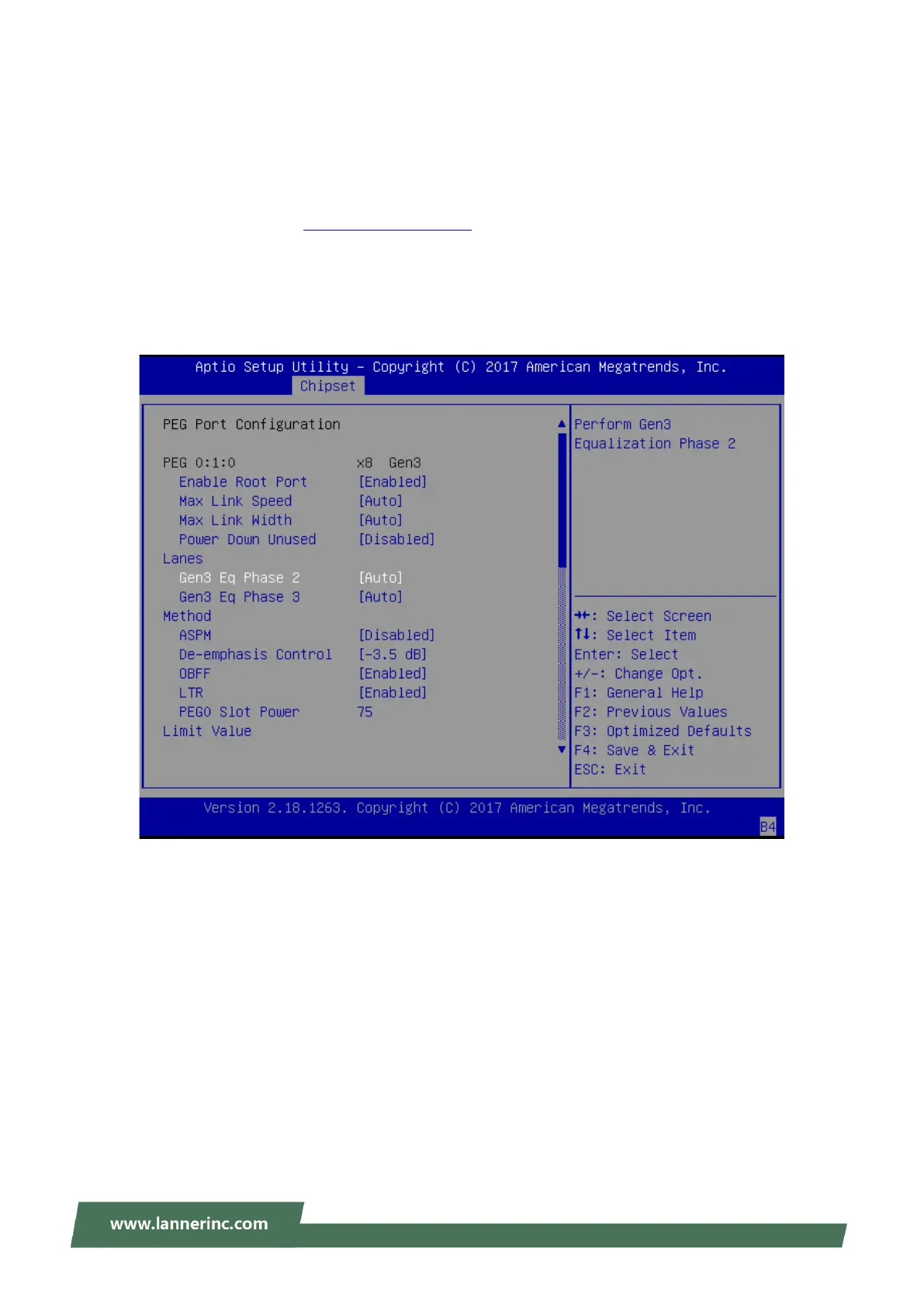
This configuration is dedicated for a Kaby Lake processor going with LAN module IQM201.
1. Follow the instructions in 錯誤! 找不到參照來源。 to enter the BIOS setup utility.
2. Use [<--] / [-->] to select [Chipset] setup screen. Under this screen, use [↑] [↓] to select and enter
“System Agent (SA) Configuration”.
3. Select “PEG Port Configuration”, enter “Gen3 Eq Phase 2” setting and change the value from “Auto” to
“Disabled”.



 To Next Page