EasyManua.ls Logo

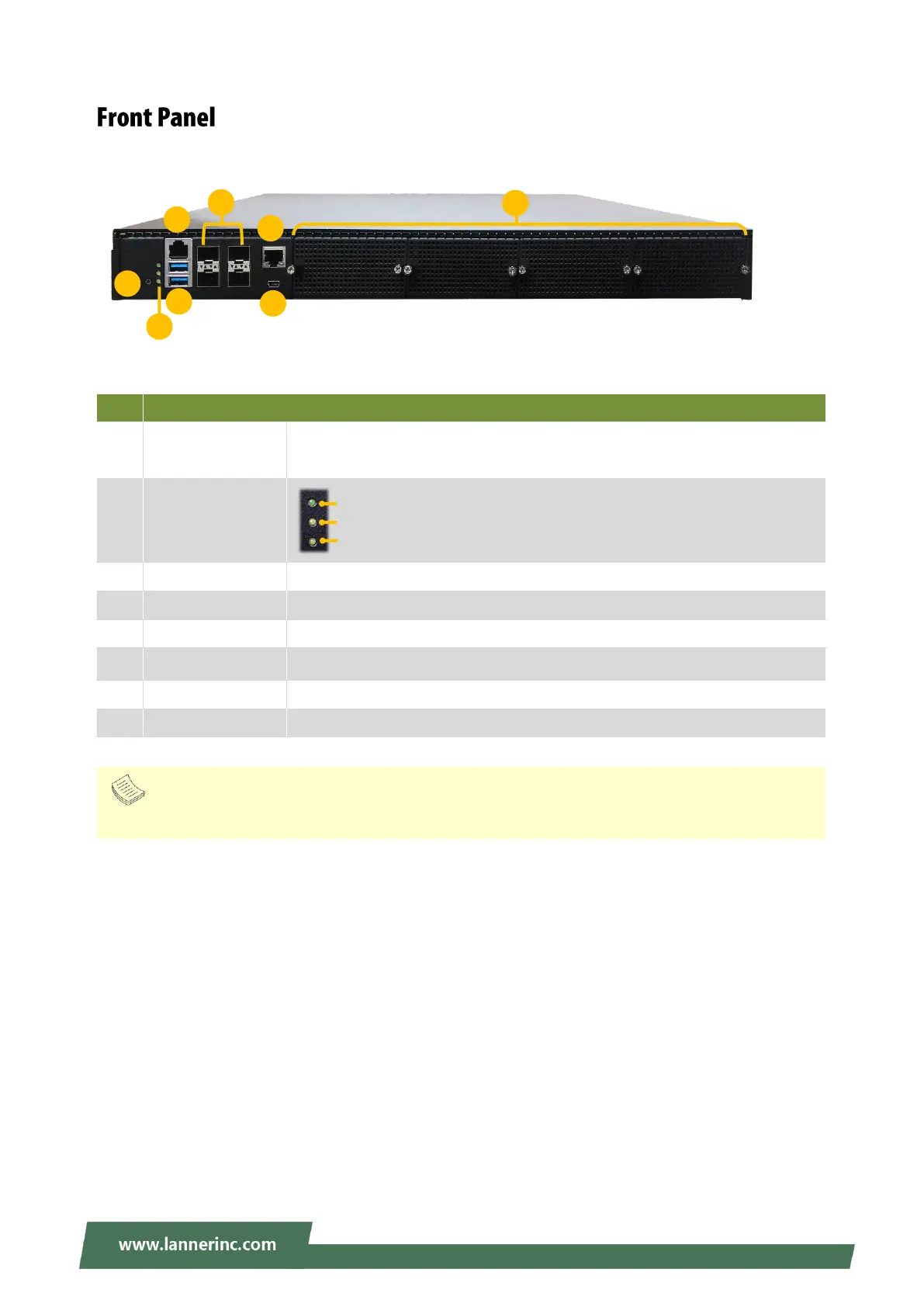
Lanner NCA-5710 - Front Panel Components

Lanner NCA-5710
132 pages
Print Icon
To Next Page IconTo Next Page
To Previous Page IconTo Previous Page
Loading...
NCA-5710 User Manual
15
No.
Description
F1
Reset Button
For hardware /software reset, default is software reset. The setting is
configurable by changing the JRST1 jumper on motherboard.
F2
LED Indicators
F3
Console Port
1x RJ45 console port
F4
USB Ports
2x USB 3.0 port
F5
RJ45/SFP+ Ports
4x RJ45 port with LED or 4x 10G SFP+ port (by model)
F6
MGMT/LOM Port
1x RJ45 for MGMT or LOM share port (by model)
F7
Micro USB
1x console port
F8
NCS2 Module
4x STD NIC Module
System Power
System Status
HDD Activity
F5
F4
F6
F3
F1
F2
F8
F7
Note
Please refer to Appendix A: LED Indicator Explanations for descriptions of the LED Indicators.

Related product manuals