40 | P a g e
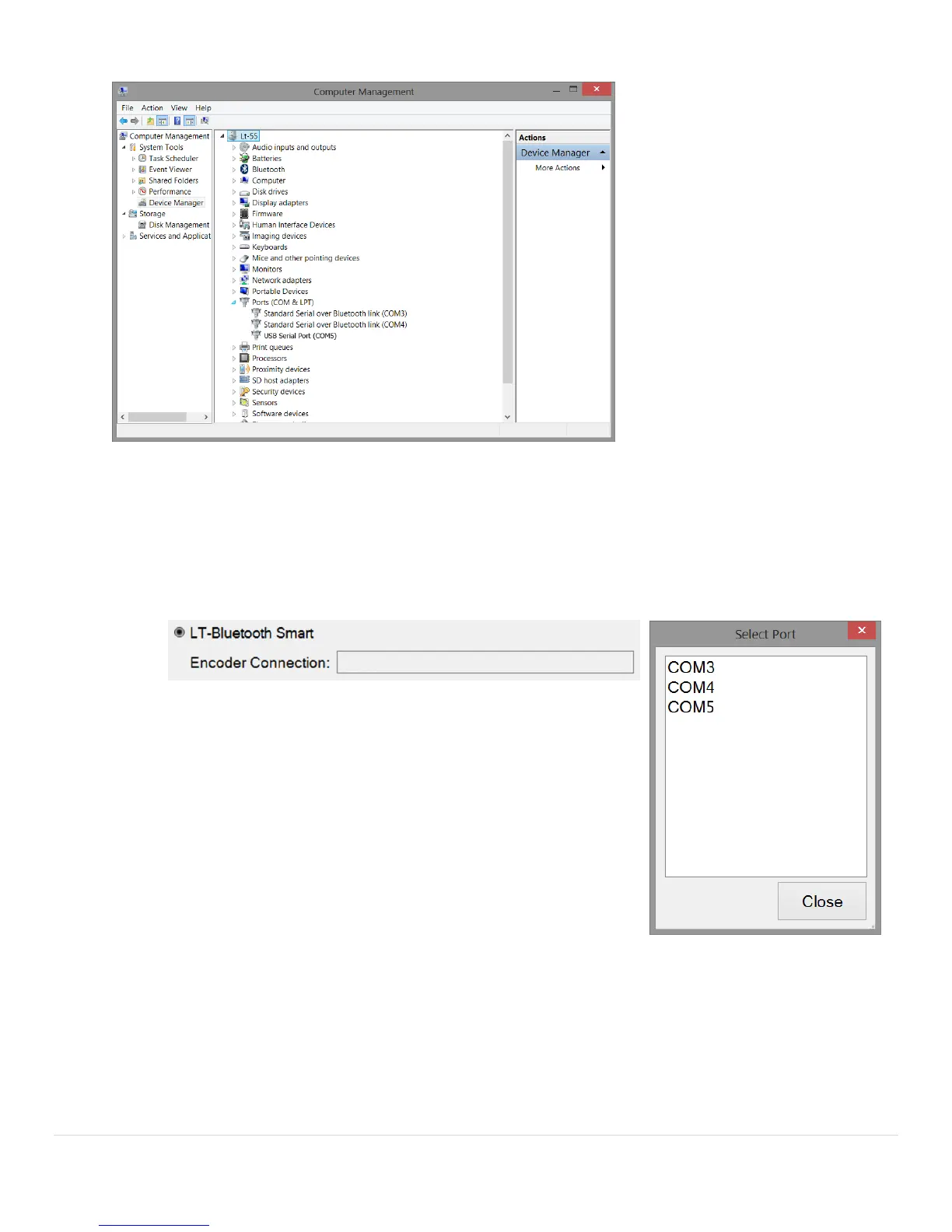
7. Click the triangle before Ports (COM & LPT)
8. Look for USB Serial Port (COM#)
a. Take note of what COM Port # the encoder is connected through. In this example it is COM5
3.4 Setting Comports (Purchased Post-February, 2016, marked R4.1 on the bottom label)
1. Open the Laser Templator program
2. Click File / Help / Setup Device
a. Double click in the box to the right of Encoder Connection.
b. Double click on the correct COM Port # from the steps above.
3. Click Connect and wait for the laser to connect.


 To Next Page