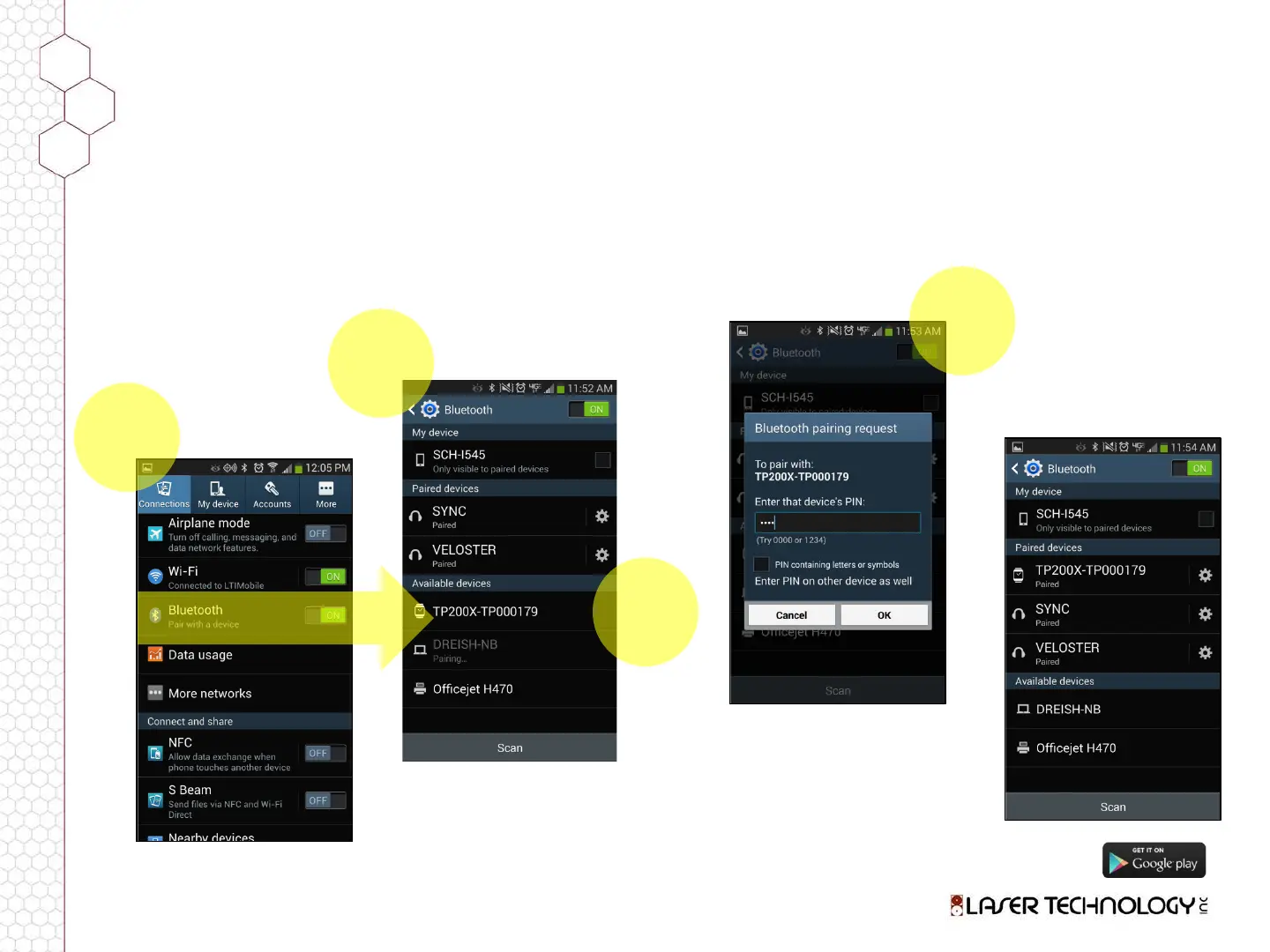
Establish Communication (Android)
To ensure a phone is properly communicating with the laser, it must be connected with
Bluetooth. To begin this process, verify that the laser is powered on and within range:
When the laser device is
powered on, the phone
will recognize it and list
the device serial number.
Within a few seconds,
the screen should display
the laser as “Paired.”
FIND & TAP
Phone
Settings
1
TAP & TOGGLE
Bluetooth “ON”
2
TAP
Laser
3
Upon first connection,
enter PIN 1234 or 1111
to connect to TruPulse
device. Different
Android devices behave
differently. If prompted
to accept a “Passkey”
simply click “OK.”
ENTER PIN
for Initial
Connection
4
LaserSoft Measure Android Training Presentation
February 3, 2014












 To Next Page