EasyManua.ls Logo

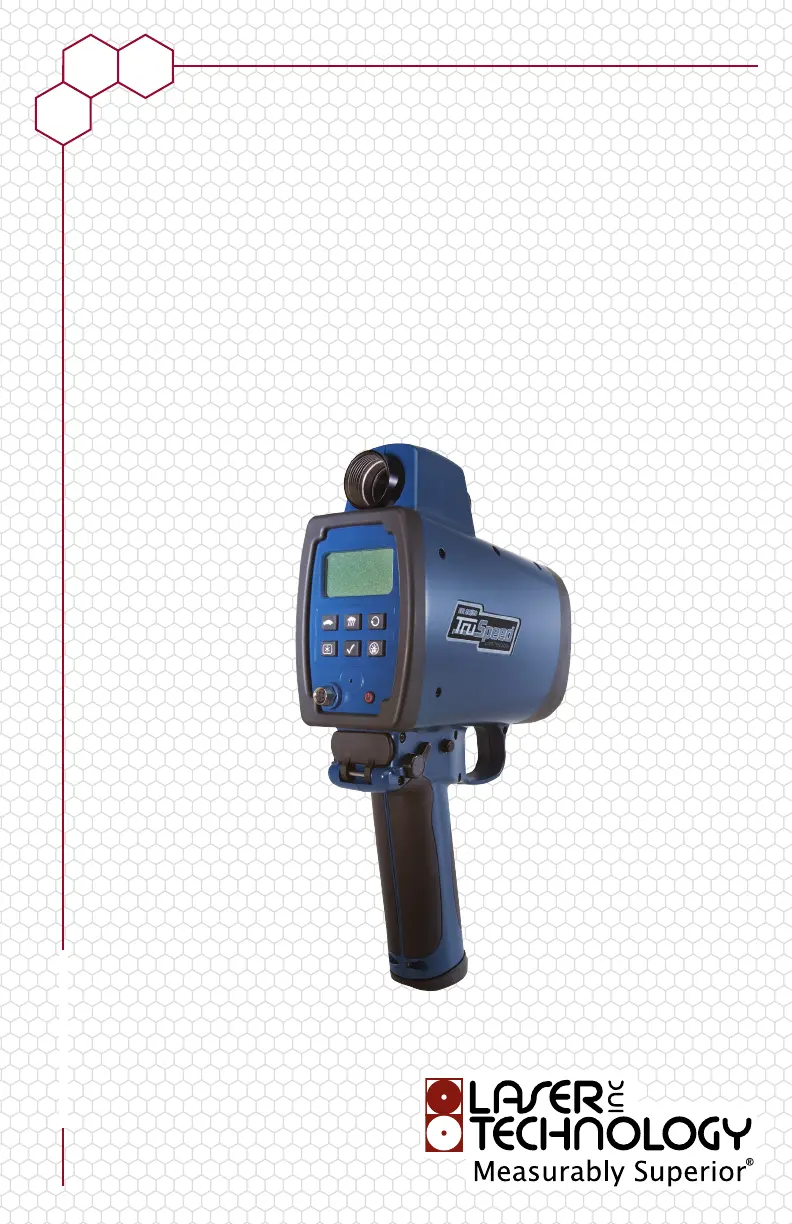
Laser Technology LTI 20/20 TruSpeed - User Manual

Laser Technology LTI 20/20 TruSpeed
46 pages
Print Icon
To Next Page IconTo Next Page
Loading...
Laser Technology, Inc.
LTI 20/20
TruSpeed
®
Metric Users Manual
© LTI 2013 TruSpeed 0144809

Table of Contents

Questions and Answers

  • T
    Travis MorrisAug 3, 2025
    What to do if Laser Technology Measuring Instruments give erroneous readings?
    • J
      Joshua SmithAug 3, 2025
      To address erroneous or not repeatable readings with your Laser Technology Measuring Instruments, first ensure you have a clear line of sight to the target. Check the scope alignment. If it's raining or foggy, activate the Weather Mode. Remember that when Weather Mode is active, the minimum range becomes 61 meters. Also, when measuring a short range to a small target, try aiming slightly above the target.
  • M
    mitchell76Aug 7, 2025
    Why does Laser Technology Measuring Instruments have limited range?
    • S
      Steven ScottAug 7, 2025
      If you are experiencing limited range with your Laser Technology Measuring Instruments, consider the following: * Ensure a clear line of sight to the target. * Be aware that rain or fog can reduce the unit’s maximum range. Activate the Weather Mode; note that the minimum range will be 61 meters when this mode is active. * Avoid acquiring targets through glass, as this also reduces the maximum range. * Make sure the lens is clean and free from scratches.
  • A
    Austin AndersonAug 13, 2025
    Why Laser Technology Measuring Instruments powers off by itself?
    • M
      melendezkaitlinAug 13, 2025
      If your Laser Technology Measuring Instruments unit powers off by itself or has no power, verify that the batteries are installed correctly, and replace them if necessary. Also, the instrument automatically powers OFF if there is no activity for 15 minutes.
  • S
    sean19Aug 18, 2025
    What to do if Laser Technology Measuring Instruments show E01 error code?
    • C
      Christina LewisAug 18, 2025
      If your Laser Technology Measuring Instruments displays an E01 error code and provides no range or speed readings, try measuring a wall approximately 15 meters away. Check the scope alignment and restore the factory defaults. When measuring a short range to a small target, aim slightly above the target.
  • A
    Alexander FrancoAug 22, 2025
    How to aim Laser Technology Measuring Instruments through windshield?
    • S
      slunaAug 22, 2025
      If you're finding it difficult to acquire a target while aiming through a windshield with your Laser Technology Measuring Instruments, activate the Weather Mode, keeping in mind that the minimum range will then be 61 meters. If the windshield is bubble-shaped, try shooting through its center.
  • L
    Lisa SimpsonAug 28, 2025
    How to fix the in-scope aiming reticle if it is not visible on Laser Technology Measuring Instruments?
    • P
      perezandreaAug 28, 2025
      If the aiming reticle is not visible in your Laser Technology Measuring Instruments, press the TRIGGER to activate it. If it's still not visible, press the button to increase its intensity. You may also need to adjust the polarizing filter.

Summary

Getting Started

Important Safety Information

Details critical safety guidelines for operating the laser device to prevent eye damage and equipment malfunction.

Restoring Factory Default Settings

Procedure to reset the TruSpeed to its original factory default settings.

Understanding Error Conditions

Information on how the TruSpeed handles and displays error conditions.

Error Codes

List and explanation of various error codes displayed by the TruSpeed.

Speed Measurements

Taking Sample Measurements

Step-by-step guide for performing a basic speed measurement.

Understanding the Cosine Effect

Explanation of how target angle affects speed measurement and how to minimize it.

Measuring Moving Vehicles

Procedure for measuring the speed of moving vehicles, including approach and departure.

Test Mode and Instrument Tests

Instrument Confidence Checks

Methods to verify the accuracy of Lidar speed measurements.

Fixed Distance Zero Velocity Test

Test to verify timing accuracy by measuring a stationary target.

Delta Distance Test

Test to verify distance measurement accuracy using two targets.

Troubleshooting Tips

Power Issues

Troubleshooting steps for the unit turning off by itself or having no power.

E01 Error Code and Readings

Troubleshooting steps for the E01 error code and lack of range or speed readings.

Erroneous or Non-Repeatable Readings

Steps to resolve issues with inaccurate or inconsistent speed readings.

Laser Technology LTI 20/20 TruSpeed Specifications

General IconGeneral
DisplayLCD
Acquisition Time0.3 seconds
Laser Wavelength905 nm
Beam Divergence3 mrad
Operating Temperature-4° to 140° F (-20° to 60° C)
Battery LifeUp to 8 hours
Laser ClassClass 1

Related product manuals