22
6
EN
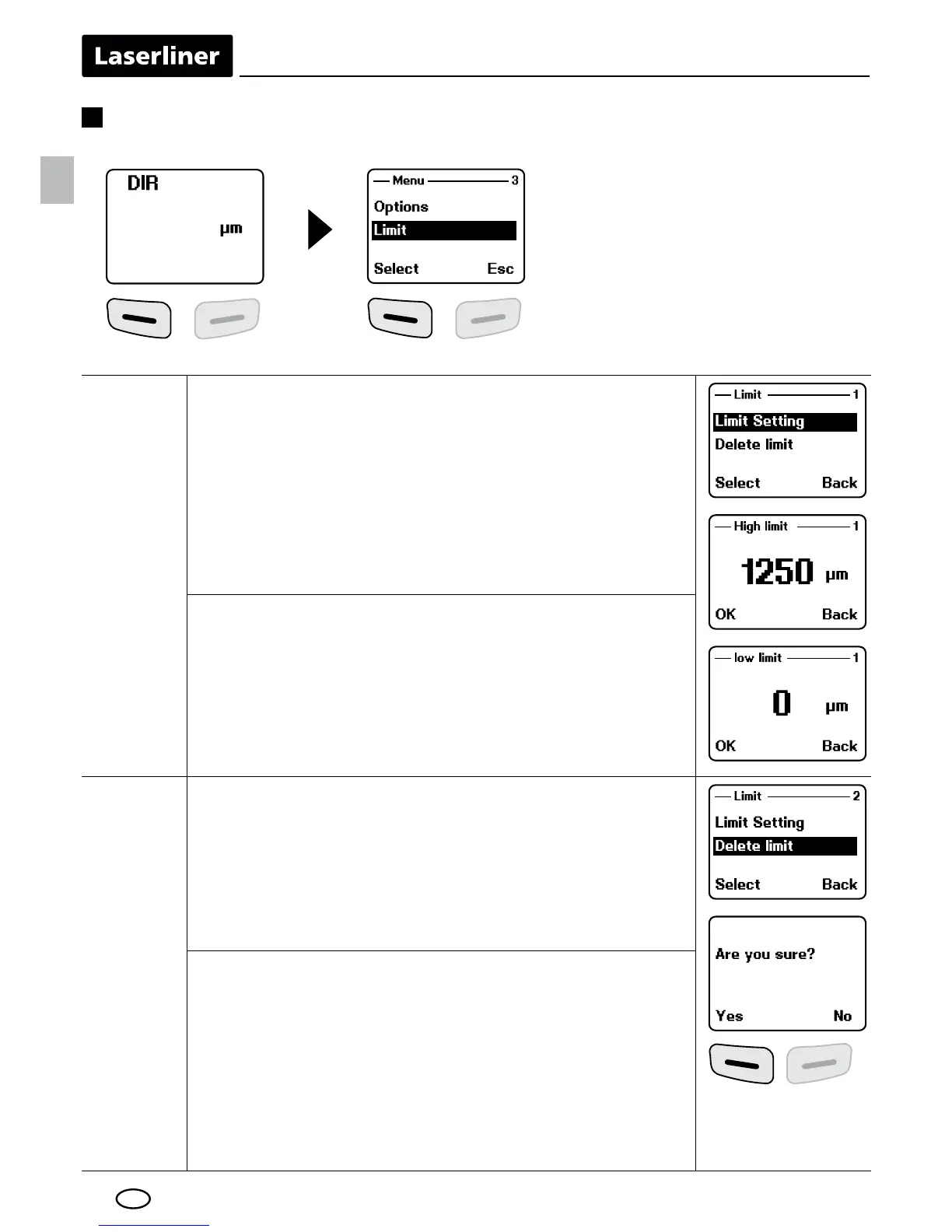
Limit
setting
Limit setting
Setting for exceeding or falling below measured
values. Measurements outside of the limits indi-
cated by a symbol on the display (L = low / H =
high). This setting can be adjusted for both wor-
king modes (direct or group mode) before, during
or after a series of measurements.
Upper limit:
„H“ for exceeding limit
Lower limit:
„L“ for falling below limit
Delete
limit
Delete limits
With this setting, the previously set limits
are deleted or reset to factory settings.
(high: 1250 μm, low: 0 μm)
"NMÖQLSGDRTARDPTDMSOQNLOSDHSGDQVHSG
„Yes“ or „No“.
Menu item 3: Limit





 To Next Page