11
Connect to PC Software
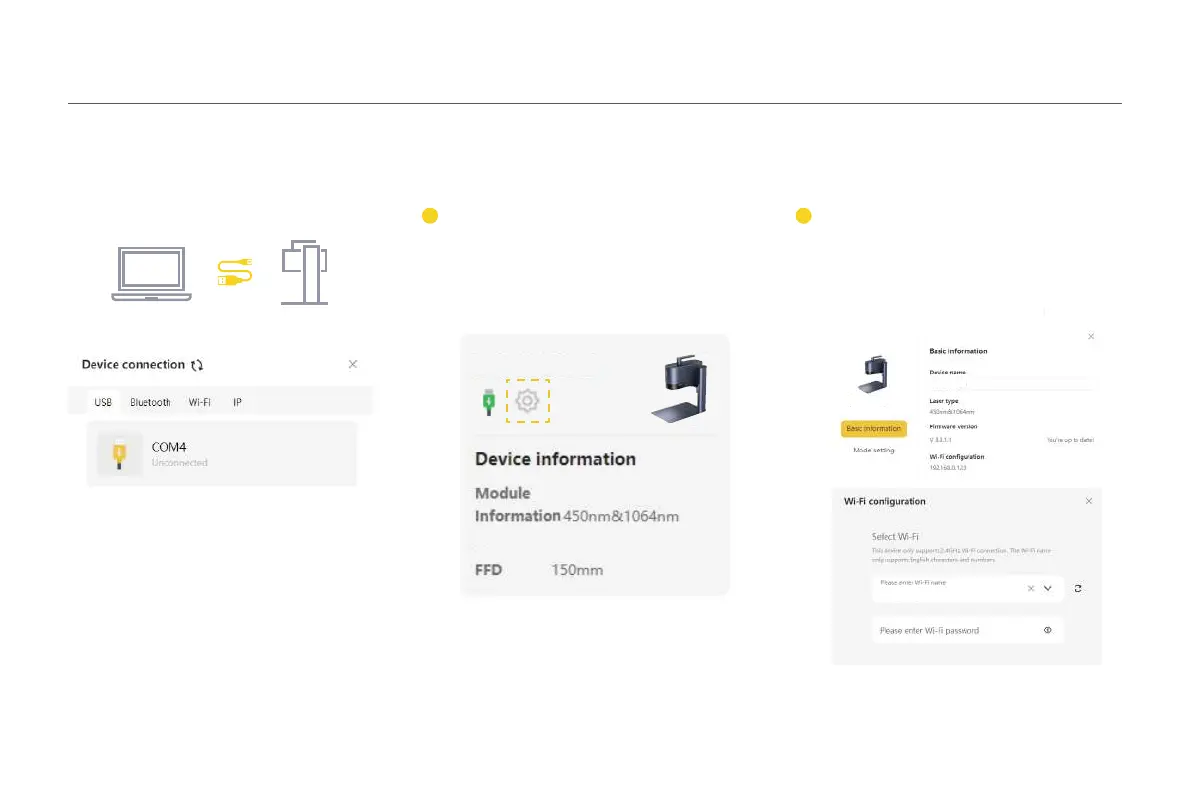
Option 2: Connect to PC Software through WiFi
(First-time WiFi setup or changing the network)
After connected, entering the machine seing
page on the upper right corner in the software.
Select 'WiFi seing' and follow the instructions
to configure the WiFi network for the machine.
2
Before seing up the wireless connection, you
must first connect the machine to a computer
using a USB cable. This USB connection
allows you to configure the WiFi seings on the
machine.
1
Option 1: Connect directly via
the 1.5m USB cable
LP5-XXXXXX
LP5-XXXXXX
LP5-XXXXXX



 To Next Page