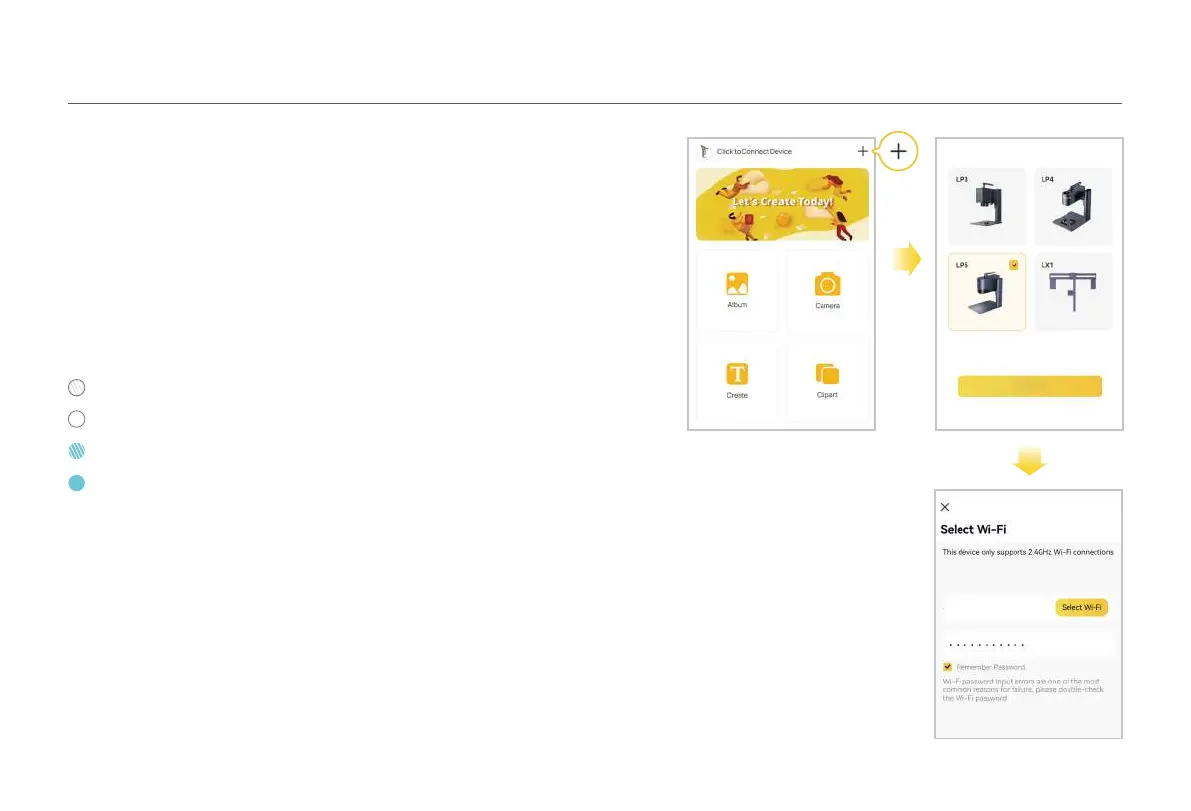
Both the machine and the phone must be under the same 2.4GHz WiFi network.
Open the LaserPecker Design Space App, click the "+" in the upper right
corner, select the machine model 'LP5' and follow the instructions to
configure the WiFi network for the machine.
Connect to App through Wi-Fi
(First time WiFi setup or changing the network)
Blinking blue: Connected to network
Solid blue: Connected to App
Blinking white: Not connected to network
Solid white: Connecting to network
Connect to App
10
The Laser unit indicator is in solid blue if the
connection is successful.
Wi-Fi
Next



 To Next Page