Operation Access Control
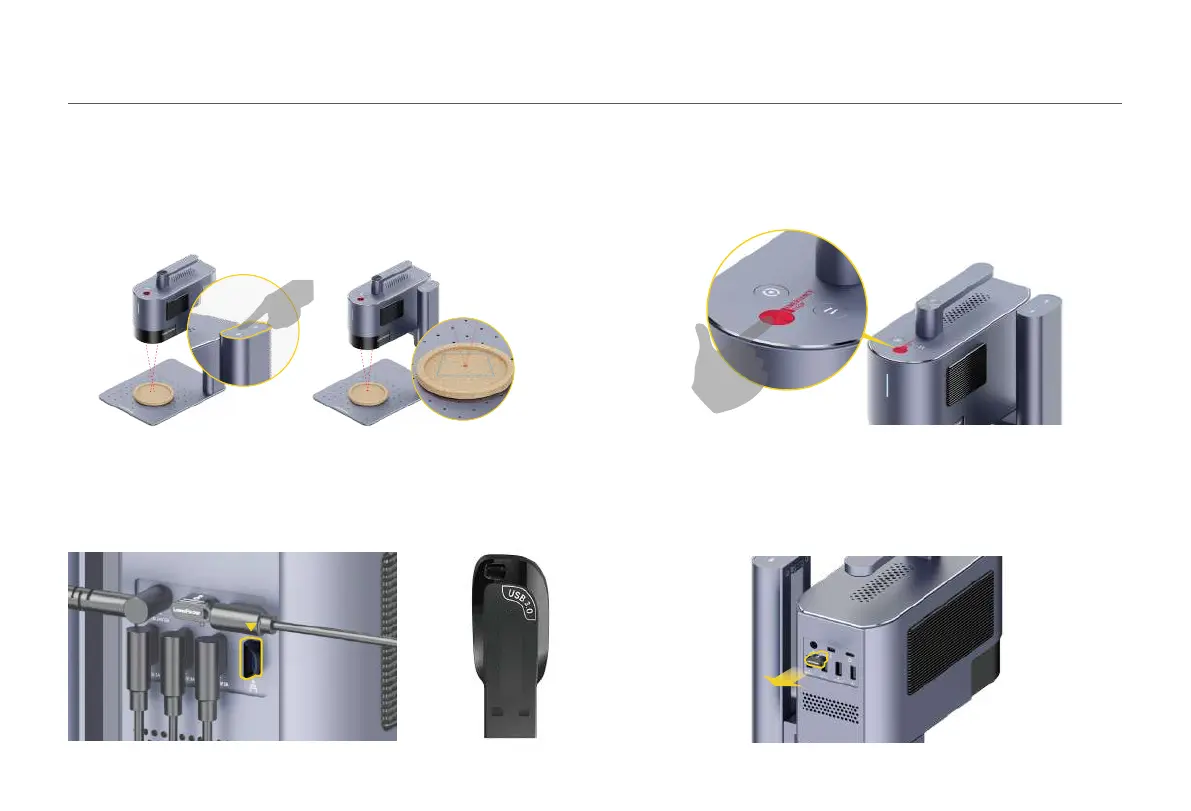
To prevent others from using the machine, remove the security key to lock the processing
and related functions.
Insert the key to unlock the processing and related functions.
If errors or machine faults occur during material processing, press the emergency stop
buon to disconnect and stop the processing.
Emergency Stop
After inserting the flash drive into the machine, the project files (.lpb) on the drive can be
selected using the PC software or mobile App to preview and engrave.
Engrave using USB Flash Drive
Place the material on the Base plate. Initiate the preview mode or turn on the red dots
focusing mode in the machine seings through App or PC software to observe the two
dots. Adjust the height of the Electric Stand until the two red dots coincide, and the focus
is successfully set.
Dual Red Dots Focusing (Manual Focusing)
Using the product
12



 To Next Page