13
Multiple Application Scenarios
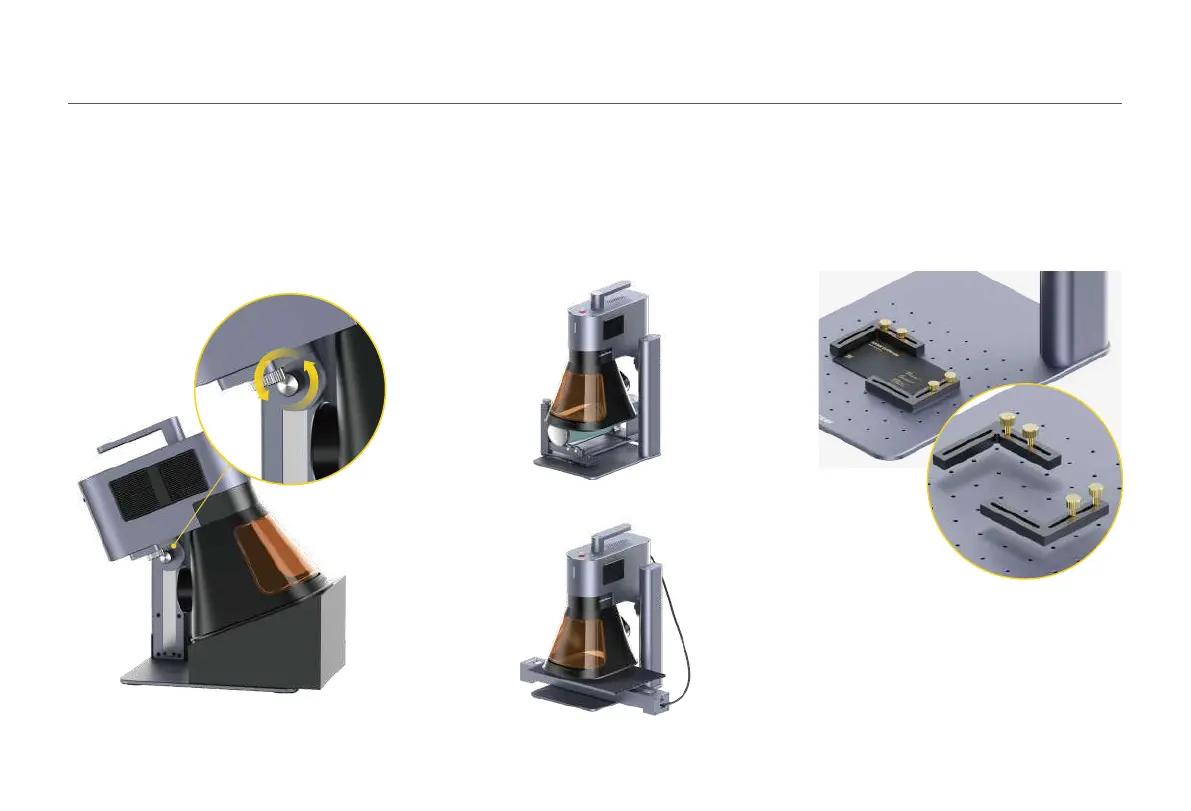
*Follow the accessory instructions for proper
positioning and cable connections to the machine.
Batch Processing
During batch processing, the L-shaped
Positioner can fix materials in the same
position every time. Secure the positioners to
the Base Plate by tightening the screws.
If accessories are needed, purchase them
separately and refer to the accessory
instructions for installation.
Loosen the Electric Stand side knob clockwise
to adjust the angle of the Laser Unit.
Tighten the knob counterclockwise to fix the
Laser Unit at the desired angle for bevel
engraving.
Rotary Extension
Slide Extension
Using AccessoriesBevel Engraving



 To Next Page