LaserPoint s.r.l.- Plus2 Power & Energy Meter Instruction Manual - All Rights Reserved 9
9. Instrument Function Keys: Zero key
Zero function key helps the user defining the optical zero of the sensor head as well as the electrical zero by
resetting the instrument ADC.
Zero function key may also be used to introduce a desired offset to a series of measurements.
All meter adjustments are carried out by Plus 2 firmware, however LaserPoint recommend to reset Plus 2 Meter
every time a new sensor head is being plugged in.
Both head optical resetting and ADC electrical resetting have to be accomplished manually by using Zero key
and following few simple steps as indicated below:
Important notice: before starting an electrical resetting sequence, ensure the sensor head is in thermal
equilibrium with the environment that no laser radiation accidentally hit the sensor not to introduce an unwanted
offset level. The head shall be properly blinded in the case of high sensitivity heads.
- To optically reset a head briefly touch Zero key .
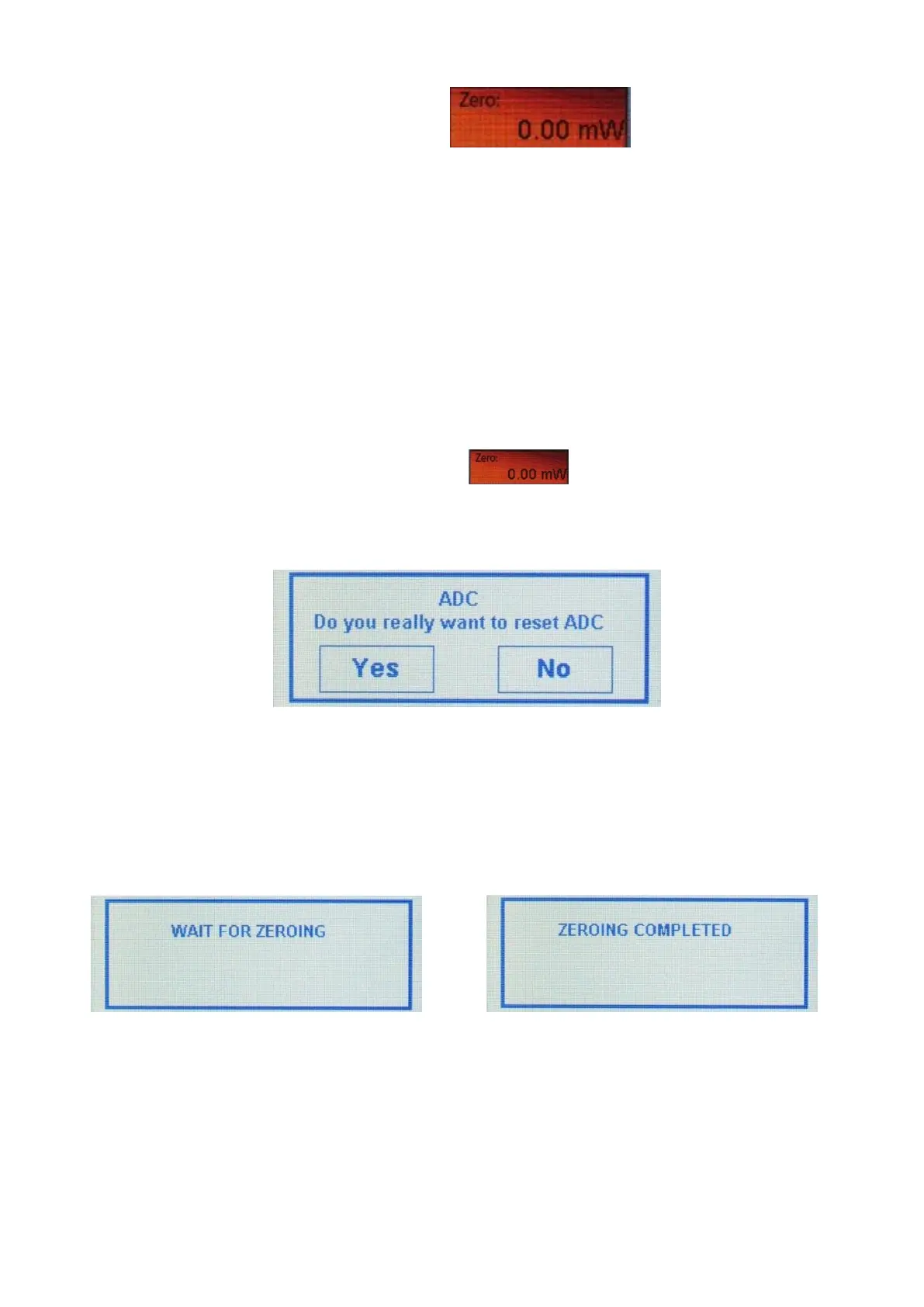
- To reset the ADC keep Zero key pressed until the window shown in Fig. 7 appears on the screen in the
display segment e) as described in Fig. 4
Fig. 7 ADC resetting request window
- Touch Yes and wait few seconds while the screen shows the notice “Wait for zeroing” (Fig. 8a).
When the ADC has been finally reset the notice “Zeroing Completed” (Fig. 8b) appears on the
display and the meter is ready for use again.
Fig. 8a “ADC resetting in progress” notice Fig. 8b “ADC reset” notice
Offset: the introduction of an offset level in a measurement may be useful in certain cases. Plus 2 can
easily introduce an offset power value and to do it, briefly touch Zero key and the currently measured
power level is accounted by Plus 2 and introduced as the offset power level. When an offset has been
introduced, its value and units are shown in the Zero key area. An additional yellow spot appears in the


 To Next Page