LaserPoint s.r.l.- Plus2 Power & Energy Meter Instruction Manual - All Rights Reserved 15
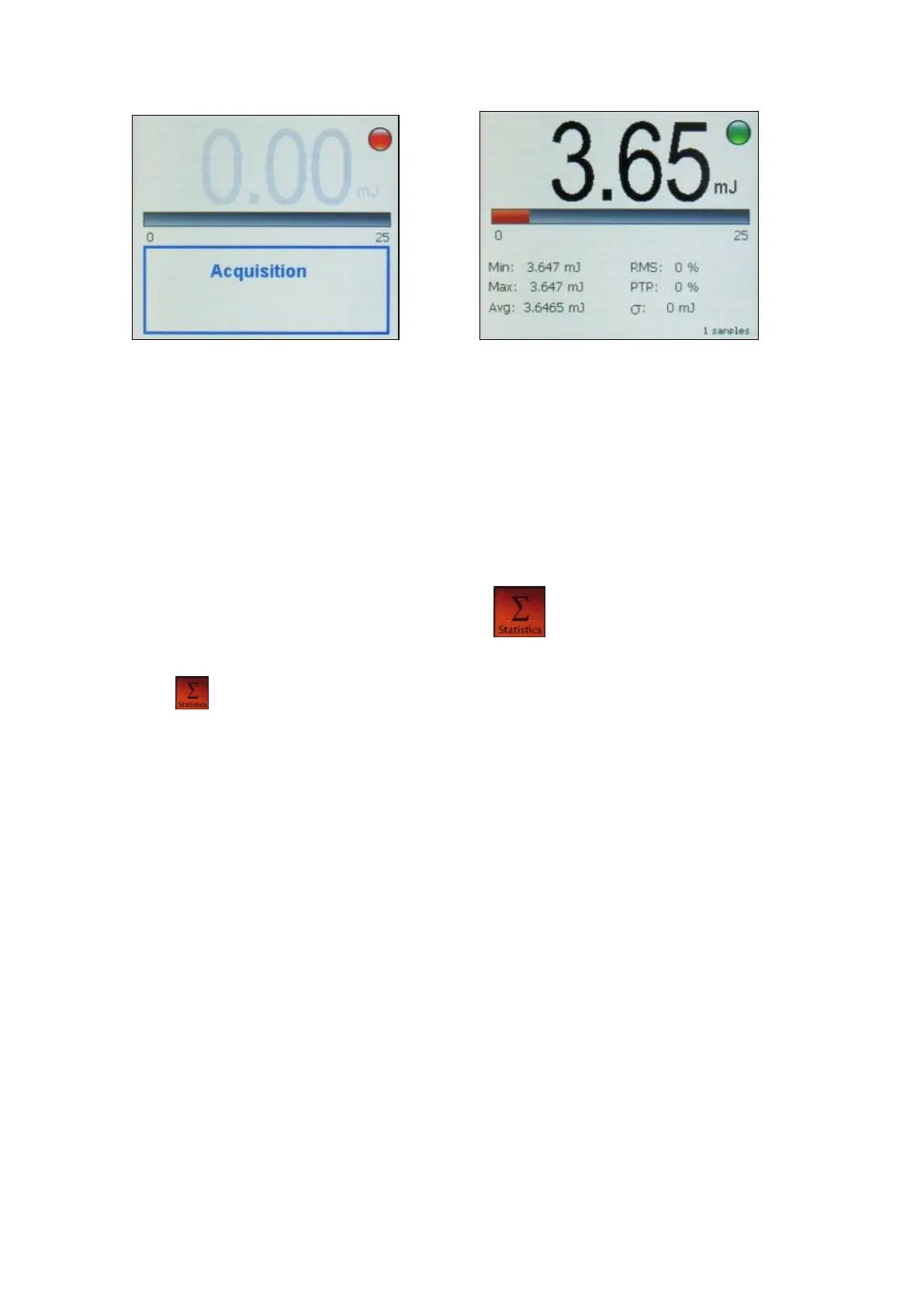
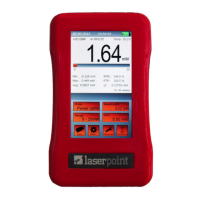
14a “Energy measurement in progress” notice Fig. 14b “Energy measurement over” display aspect
As soon as the pulse energy detection is over, the energy measured value is displayed and the spot turns
green again indicating the meter is ready for a further pulse energy measurement (Fig 14b).
Note: The correct measurement of the integral energy of a burst of two or more pulses carried out by a
thermopile head requires that the pulse repetition rate is greater than 1Hz to avoid incurring in possible
individual pulse energy detection.
13. Instrument Function Keys: Statistics key
Statistics key enables the statistical elaboration of the measured data and its settings.
When the instrument operates in Power Mode four statistics elaboration options are possible:
- Off: no statistics.
- Continuous: the data elaboration is made on a continuous data collection basis.
- Repeated: the data are repeatedly collected and elaborated within a user’s defined time period.
- Single: the data are collected and elaborated once only within a user’s defined time period.
Touch the Statistics key to open the “Statistics” windows (Fig. 15) and access these four options displayed as
four rectangular interactive boxes in the window.
Upon touching a box its background becomes green indicating its selection.
“Off” or “Continuous” options need no more instructions.
“Repeated” or “Single” options require the definition of a time period that limits the statistical data collection and
elaboration, hence after selecting one of these two options the needed period information in hours, minute and/or
seconds has to be entered in the three small rectangular boxes just below these option keys.
Upon touching each time-information boxes the usual digital keyboard pops up allowing the desired time setting.
To enter the newly generated option and where it applies its time entity touch “Reset” box.
To exit “Statistics” window without changing any selection touch the “X” cross at the upper right corner of the
window.


 To Next Page