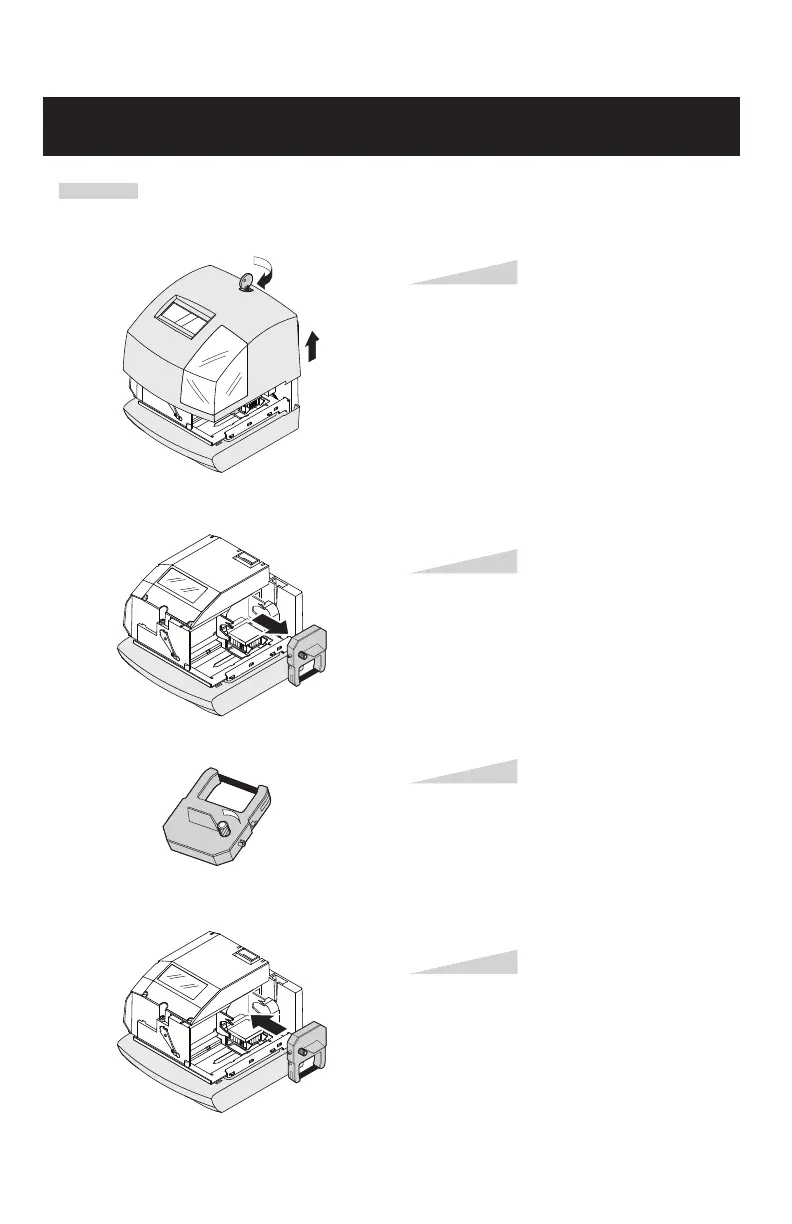
Unlock the key and remove the cover.
Step 1
Pick up the cassette and remove it.
Step 2
Turn the knob of the new cassette in the
direction of the arrow to tighten the
ribbon.
Step 3
REPLACING THE RIBBON CASSETTE
Place the cassette inside the time clock as
shown in the figure. Keep on pushing in
the cassette until the clasps at both sides
catch and you hear a "pop" sound. If it is
difficult to insert the cassette, try it while
turning the knob.
Step 4
ENGLISH
CAUTION: Be sure to pull out AC cord from AC outlet before opening a cover in order to replace
a ribbon cassette.



 To Next Page