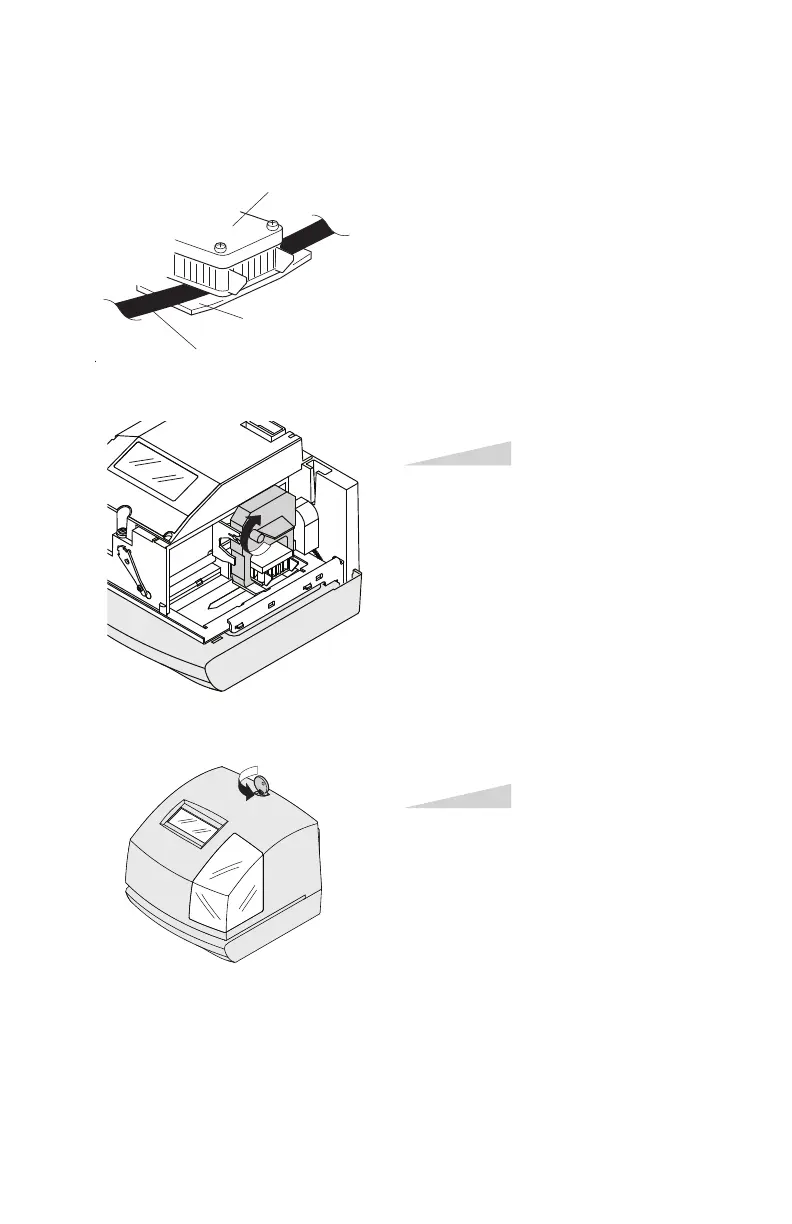
NOTICE: Install the cassette so that the
ribbon is between the print head and the
ribbon mask. Printing will not come out
properly if the ribbon is placed behind
the ribbon mask.
Turn the knob of the cassette in the
direction of the arrow to tighten the
ribbon.
Step 5
Replace the cover and lock.
Step 6
Ribbon
Ribbon mask
Print head



 To Next Page