AC outlet
QUICK EASY SETUP
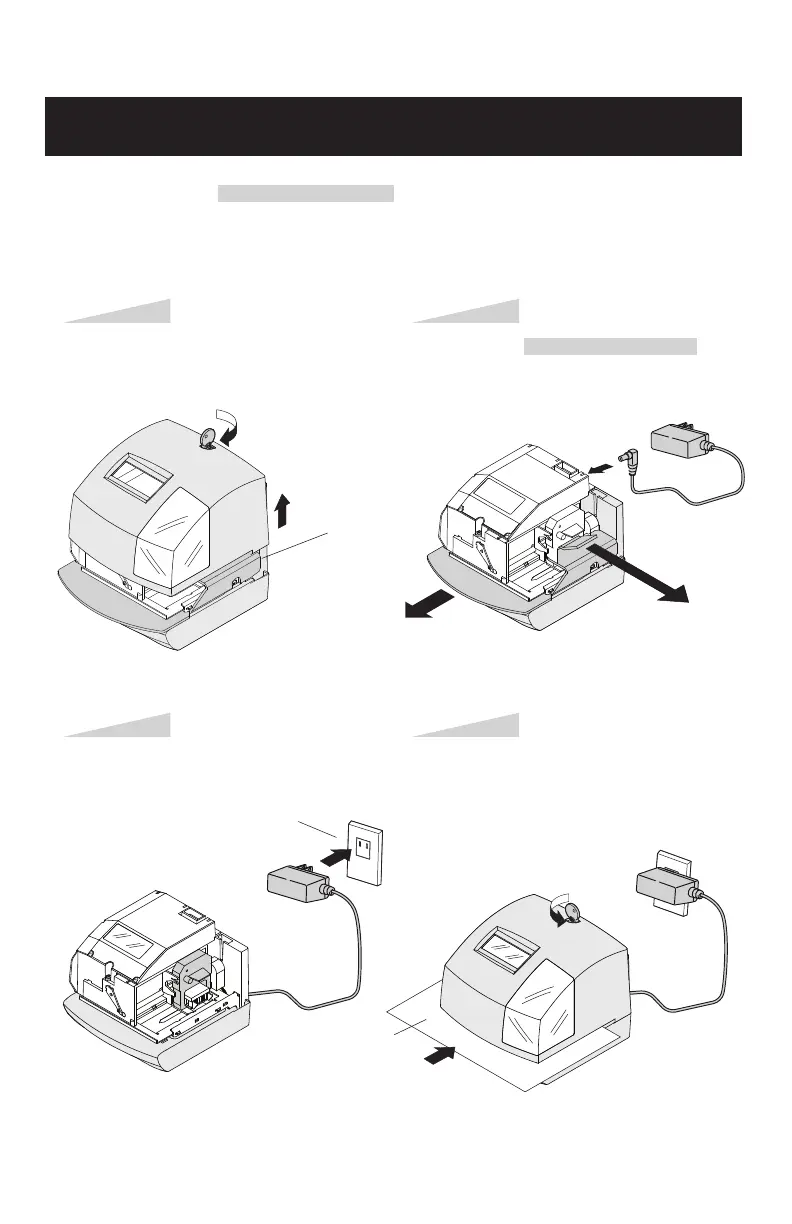
NOTICE: Remove the PROTECTION INSERT before you plug the AC adapter into the AC outlet.
To setup your time clock, follow next steps:
Step 1
Unlock and remove the cover.
Remove the PROTECTION INSERT, and
plug the AC adapter into the time clock.
Plug the AC adapter into the AC outlet
and program the clock.
Replace the cover, lock and insert a time
card.
Step 2
Step 4Step 3
Protection Insert
First
Second
Card



 To Next Page