AC outlet
QUICK EASY SETUP
NOTICE: Remove the PROTECTION INSERT before you plug the AC adapter into the AC outlet.
To setup your time clock, follow next steps:
Step 1
Unlock and remove the cover.
Remove the PROTECTION INSERT, and
plug the AC adapter into the time clock.
Plug the AC adapter into the AC outlet
and program the clock.
Replace the cover, lock and insert a time
card.
Step 2
S
tep 4Step 3
Protection Insert
First
Second
6
4
Card
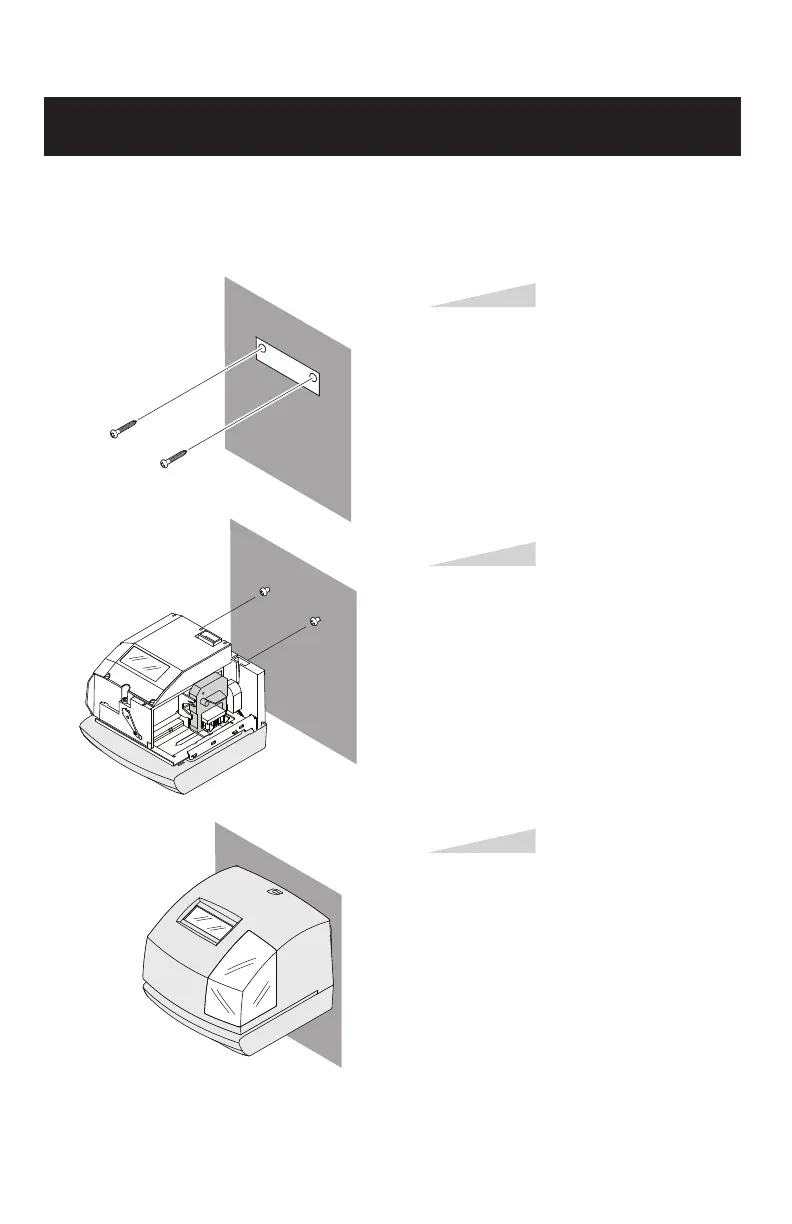
Install the supplied wall-mount screws
into a wall by using the template located
on the inside back cover.
Be sure to keep about 6 mm of the screw
head away from the wall.
Step 1
Unlock the key and remove the cover.
And then hang it on the wall.
Step 2
Replace the cover and lock.
Step 3
WALL MOUNTING
Caution: The supplied screws are intended for use on a thick wooden wall or wooden column.
Do not use them on any other materials. The time clock may come off if used on other materials.
WALL
WALL
WALL
(Upper side)



 To Next Page