Proline Low-temperature Thermostats
84 Starting up YACE0072 / 21.08.07
7.11 Ramp function
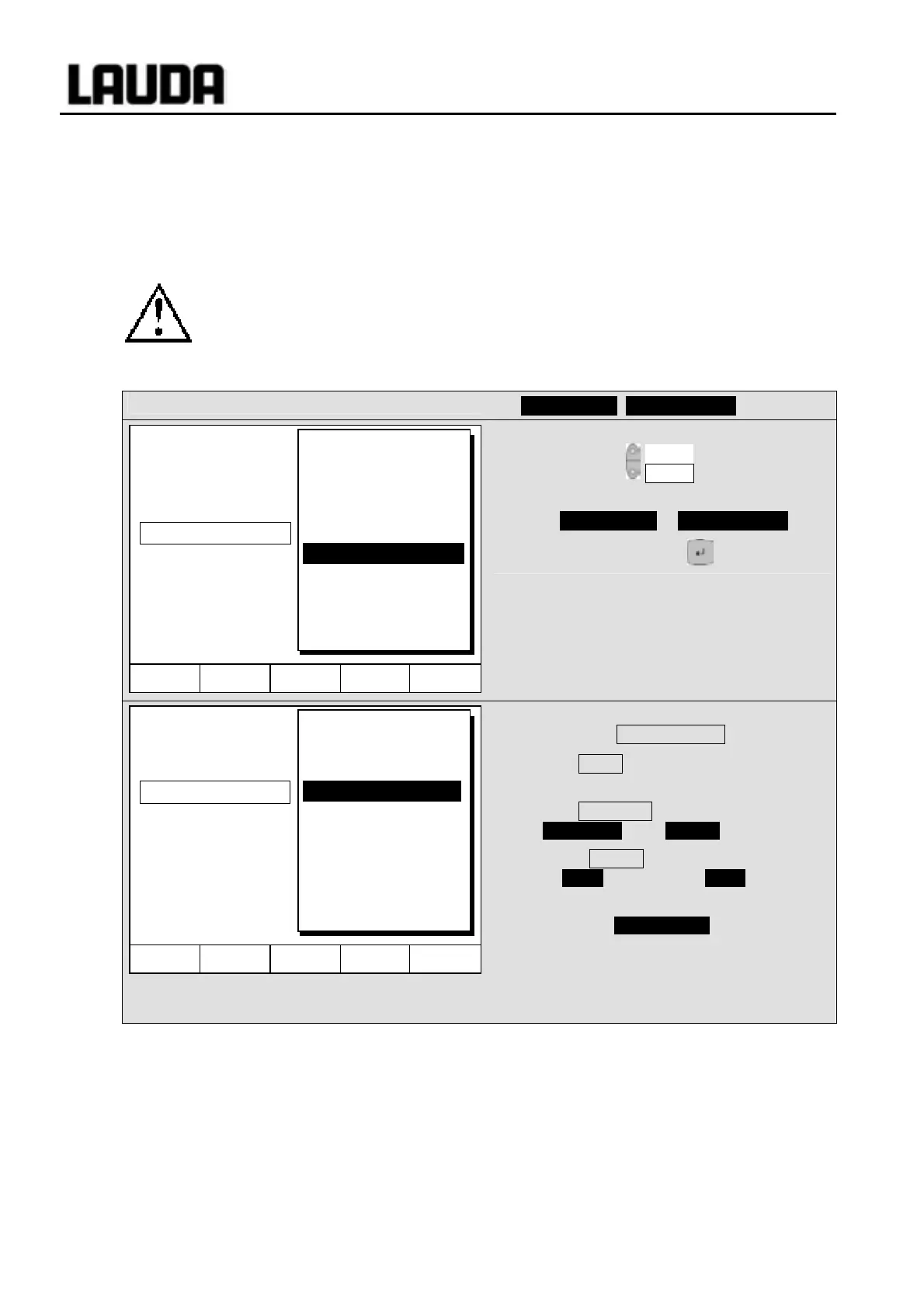
With the ramp function, temperature changes over any time period can be conveniently entered. This is
especially advantageous with very low temperature changes (e.g. 0.1°C/ day).
Example: From the current outflow temperature (e.g. 242.4 °C) 200°C of cooling is to occur over 5 days.
Then the temperature change is entered as 200°C and the time as 5 days.
The ramp function is executed until it is manually terminated or until the temperature limits
T
il
(min) or T
ih
(max) described in Section 7.8.3 are attained.
Command
Programmer Ramp function
− Open the list of device parameters using
the soft key Menu .
− With the cursor keys continue to
¤ Programmer ¤ Ramp function .
− Confirm with the key .
− Enter a positive or negative temperature
value with Temp. change .
− With Time enter a figure (without time
unit).
− With Time unit choose between
Second(s) up to Day(s) .
− Under Status the ramp is started
Æ Start or stopped Æ Stop .
− When the ramp function is being
executed, Ramp active appears in the
window bar.
− Without manual switch-off the ramp
terminates at the latest at T
il
(min) or T
ih
(max).
Hel
Menu End T
set
T
fix
Pump
Settings
Graph
Clock
Programmer
Interfaces
Control
Limits
Program 1
Program 2
Program 3
Program 4
Program 5
Ramp function
Hel
Menu End T
set
T
fix
Status
Temp. change
Time
Time unit
Second(s)
Minute(s)
Hour(s)
Day(s)



 To Next Page