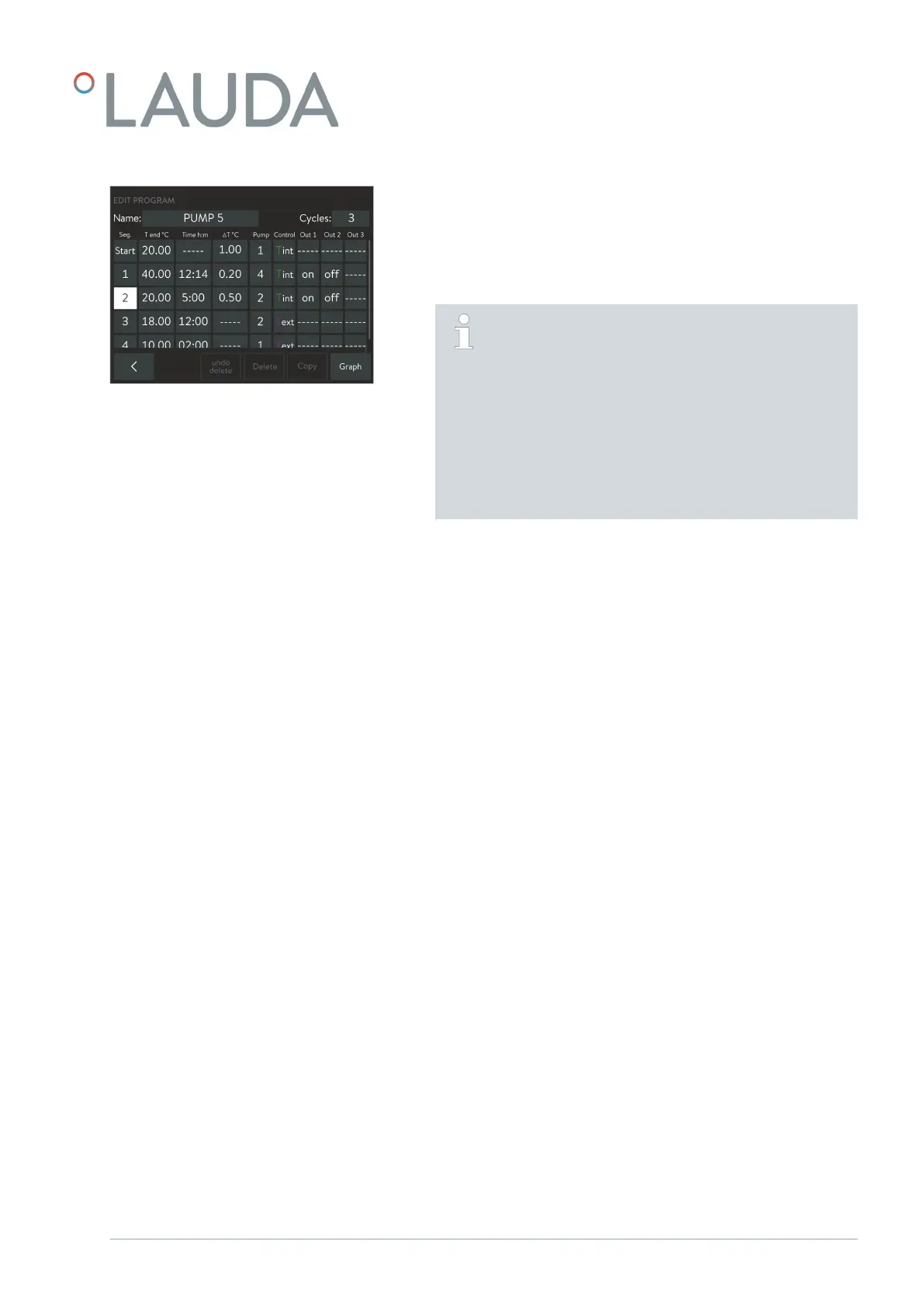
2. Tap the Seg. column on the program segment that you wish to edit:
Start seg. - Carry out the settings for the first segment in the pro-
gram.
1 – n seg. - Carry out the setting for the other program segments
line by line (n = up to 249 segments).
The Start segment is always at the start of a program. The
temperature defined in it is approached as quickly as possible
at the start of the program; a time limit is not possible. Only
when this start temperature is achieved does the program
flow continue with segment 1 . This is also the case for each
further cycle of the program.
Without the Start segment, segment 1 would lead to dif-
ferent results depending on the bath temperature. On con-
stant temperature equipment without a cooling function,
you must set a start temperature which is above the bath
temperature expected at the start of the program.
3. Edit the selected segment by tapping and changing the values of the
current line, one after the other. The column names indicate what
these values mean:
Seg. - Consecutive segment number; the first segment always
has the designation Start .
Tend°C - Target temperature [°C] which should be achieved at the
end of the segment.
Time h:m - Time limit (hours: minutes) to achieve the target tem-
perature.
DT°C - Tolerance [°C]; defines how close the temperature must
be to the target temperature before the next segment
starts.
Please note that a tolerance that is set too close can
impair the temperature control.
With the value 0.00 you can deactivate the tolerance
check and the segment ends after the time limit has
expired.
Pump - Pump level used when processing the segment.
Control - Control variable ( internal / external ) for the control
within the segment sequence.
Out 1/2/3 - For constant temperature equipment with a contact
module (accessory), this is where you can define the
status of (up to three) switching contacts in the seg-
ment sequence:
O: Switching contact is open.
On: Switching contact is closed.
----: Switching contact retains the state of the previous
segment.
Fig. 23: Editing a program
V1 Command Touch operating unit 29 / 51



 To Next Page