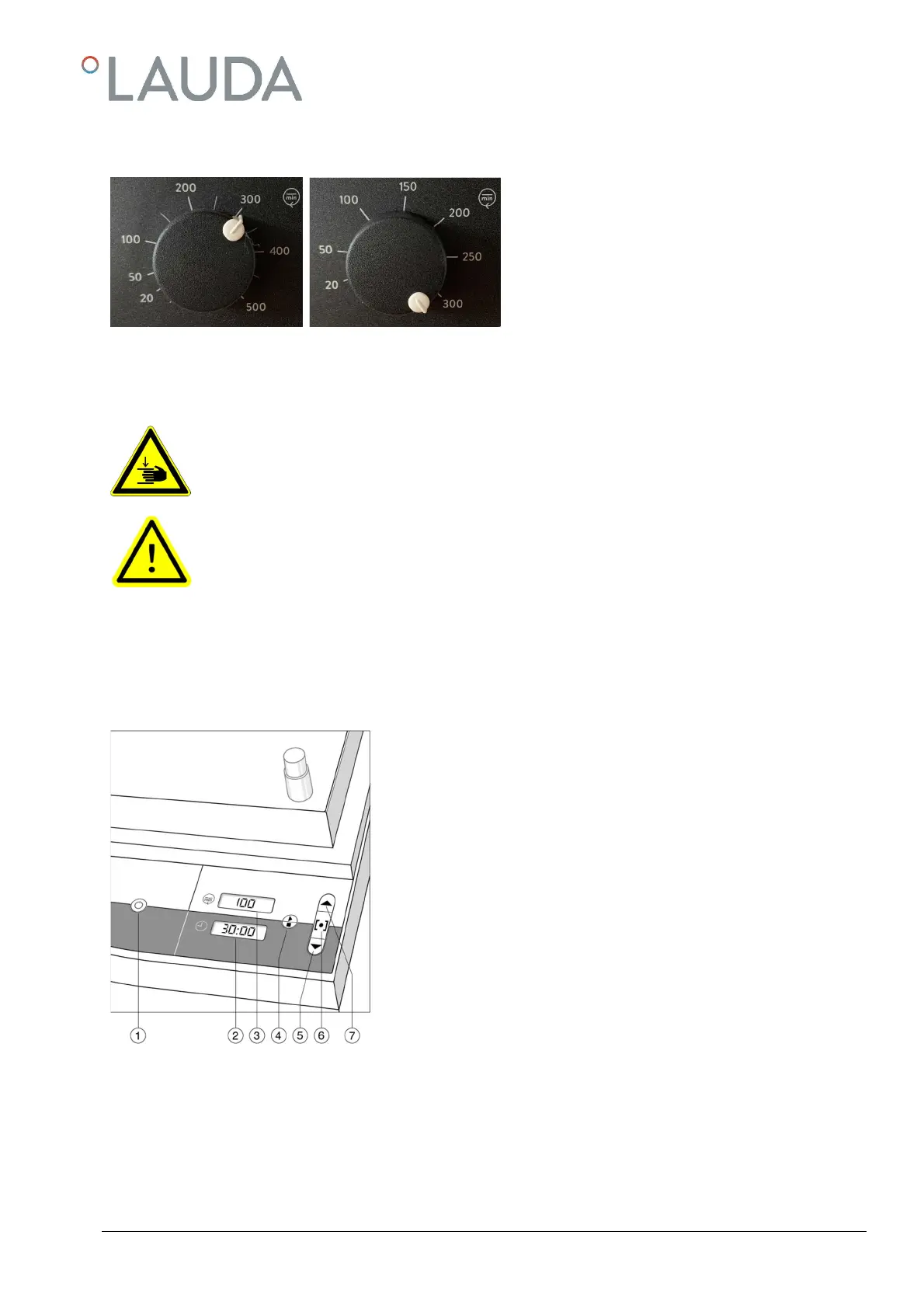
Choosing the shaking frequency
6.2
Turn the left-hand control knob clockwise to increase
the shaking frequency and anti-clockwise to decrease
the shaking frequency.
The shaking frequency ranges of Shaking Apparatus are
stated in the Technical Data of these operating instruc-
tions.
7 Initiation – digital control VS 8 O, VS 8 B, T, R, O, VS 30 O
Caution:
due to increased risk of injury never reach into the unit as long as it is still in motion.
Caution:
by all means make sure to prevent the shaking procedure creating an explosive atmosphere during opera-
tion of the Shaking Apparatus.
To initiate, press switch 1. Displays 2 and 3 show the memorized set points for running time and shaking frequency
Operation and display elements on the control panel
7.1
j To switch the Shaking Apparatus on and off
k Display shows the preset running time and the remaining running time
during operation of the Shaking Apparatus
Display shows the preset or actual shaking frequency
m Switch: to start or to terminate the shaking motion, and to confirm al-
tered set points of shaking frequency and running time
n Switch: to set lower shaking frequency and running time points
Change-over key: switches to setting shaking frequency and running
time points.
Switch: to set higher shaking frequency and running time points.



 To Next Page