LAUNCH X-431 PRO3 V4.0 User Manual
43
including current operating status for parameters and/or sensor information can
provide insight on overall vehicle performance. It can also be used to guide
vehicle repair.
*Notes:
y
If you must drive the vehicle in order to perform a troubleshooting procedure,
ALWAYS have a second person help you. Trying to drive and operate the
diagnostic tool at the same time is dangerous, and could cause a serious traffic
accident.
y
The real time (Live Data) vehicle operating information (values/status) that the
on-board computer supplies to the tool for each sensor, actuator, switch, etc. is
called Parameter Identification Data (PID).
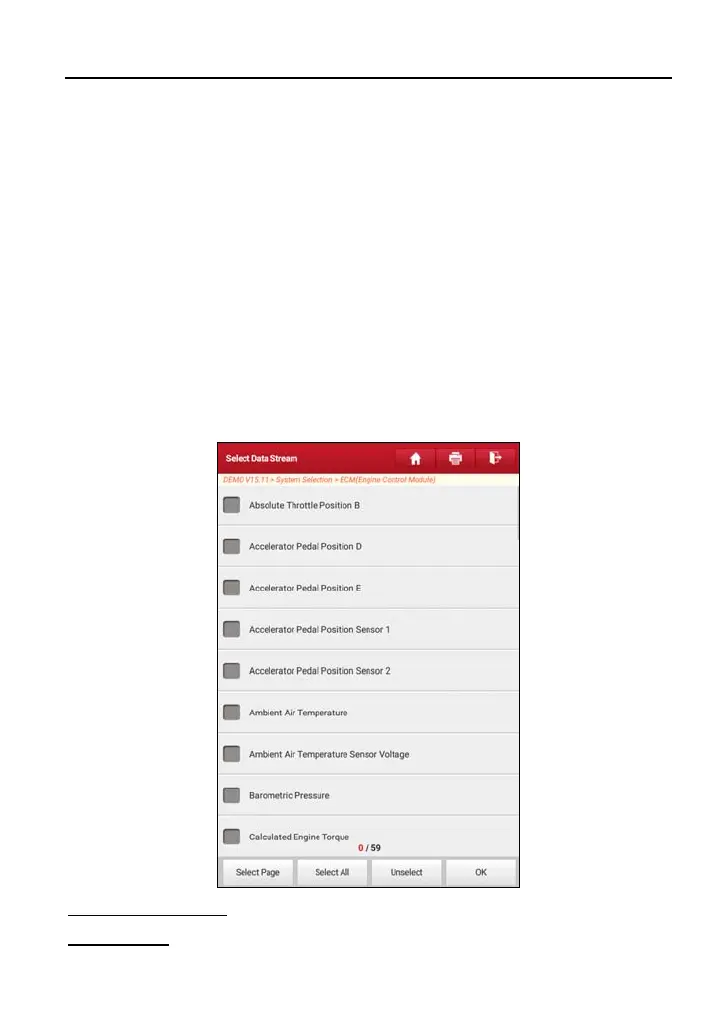
On the diagnostic function selection screen, tap “Read Data Stream”, the system
will display data stream items.
On-screen Buttons:
Select Page:
Tap it to select all items of the current page.



 To Next Page