LAUNCH X-431 PRO3 V4.0 User Manual
77
9.2 VCI
This option allows you to manage all your activated VCI devices.
If several VCI devices are activated on this tool, a list of VCIs will be displayed
on the screen. Once you choose the VCI that belongs to other account, you
have to log out, and then input the right account to continue.
9.3 VCI Management (Only for Passenger Vehicle
Configuration)
This option is used for the tablet to deactivate pairing up with the VCI device via
Bluetooth.
9.3 VCI Management (Only for Commercial Vehicle/Gasoline &
Diesel Configuration)
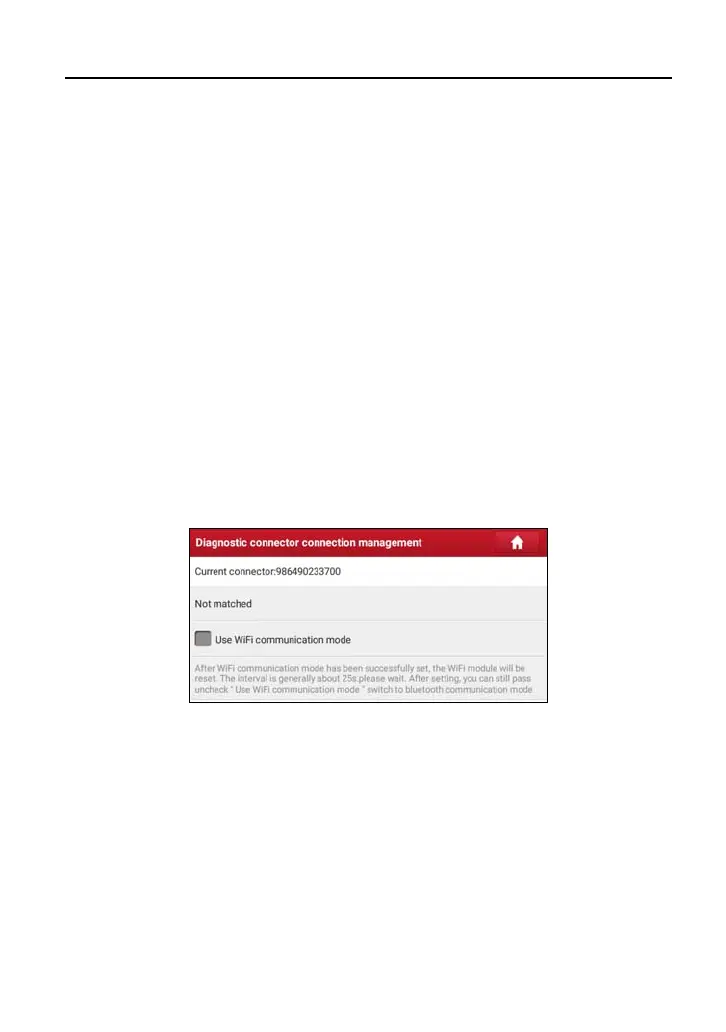
This option is used to set the communication method between the tablet and the
VCI module.
To ensure the tablet can work with the VCI module via Wi-Fi communication,
please follow the steps below to proceed:
1. Check the box “Use Wi-Fi communication mode”, the system will search for
VCI module automatically.



 To Next Page