 Need help?
Do you have a question about the Launch CReader 3001 and is the answer not in the manual?
Explains the first generation of On-Board Diagnostics (OBD 1) for emissions-related faults.
Details the second generation of On-Board Diagnostic system (OBD 2) and its enhancements.
Defines OBD 2 Diagnostic Trouble Codes (DTCs) and their alphanumeric structure.
Describes the typical location of the 16-pin Data Link Connector (DLC) on vehicles.
Explains key terms and definitions related to OBD 2 systems like PCM, Monitors, etc.
Explains Diagnostic Trouble Codes (DTCs) and the Malfunction Indicator Lamp (MIL) status.
Details monitors that are continuously tested by the OBD 2 system.
Explains monitors that perform testing once per trip.
Provides a table listing current OBD 2 Monitors and their parameters.
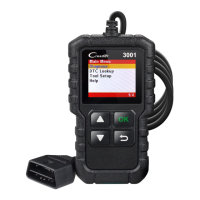
Provides a diagram and description of the CReader 3001's components and buttons.
Lists the technical specifications of the CReader 3001 device.
Lists the items included as accessories with the CReader 3001.
Details the steps for preparing and connecting the tool to the vehicle.
Explains how to access and configure tool settings like language and units.
Describes how to read diagnostic trouble codes from the vehicle's emission control system.
Explains the procedure for clearing trouble codes from the vehicle's computer.
Details the I/M Readiness status for emissions inspection and maintenance testing.
Explains how to retrieve and display live data parameters from the vehicle's ECU.
Describes how to view freeze frame data recorded when an emission fault occurred.
Explains the testing of oxygen sensors for fuel efficiency and emissions.

 To Next Page
 General