5.3 Product Registration
5.3.1 Product registration
Make sure the diagnostic main cable is properly connected to CRP229
before registering CRP229.
Tap the
icon on the desktop to launch the application, a disclaimer page
will pop up on the window.
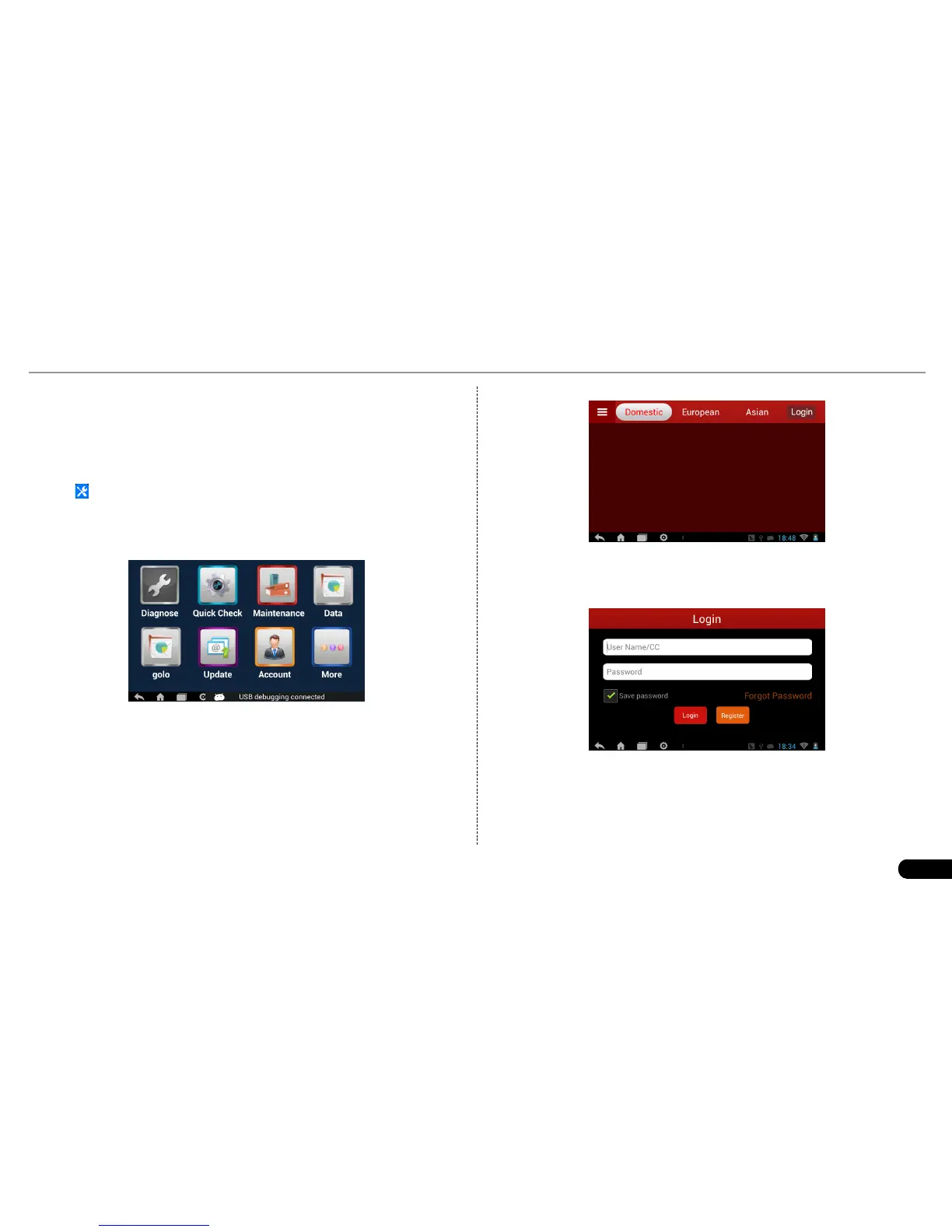
Tap “I’ve read it” to enter the main function menu of diagnosis software, as
indicated in Fig. 5-3.
Fig. 5-3
1. Tap “Diagnose” to enter the vehicle selection interface.
By default, the screen appears blank because vehicle diagnostic
software needs to be downloaded onto CRP229.
Fig. 5-4
2. Tap “Login” to enter the login interface:
Fig. 5-5
In Fig. 5-5, tap “Register” to enter a screen similar to Fig. 5-6:


 To Next Page