LAUNCH KES-200 4Channel Oscilloscope
B-5
Update cable: For software updating, connect one end
(15PIN) of the cable to the main cable, and the other
end (9PIN) to RS232 serial port on PC.
PC cable: For PC linking. Connect the end (15PIN) of
the cable to the “PC/Printer Port” on the main unit (to
share the same port with printer) and the other end
(9PIN) to RS232 serial port on PC.
Engine analysis cartridge: Insert the engine analysis
cartridge into the cartridge slot on the main unit properly
with the logo “This Side Upward” upward. Otherwise,
KES-200 does not work.
System Setting
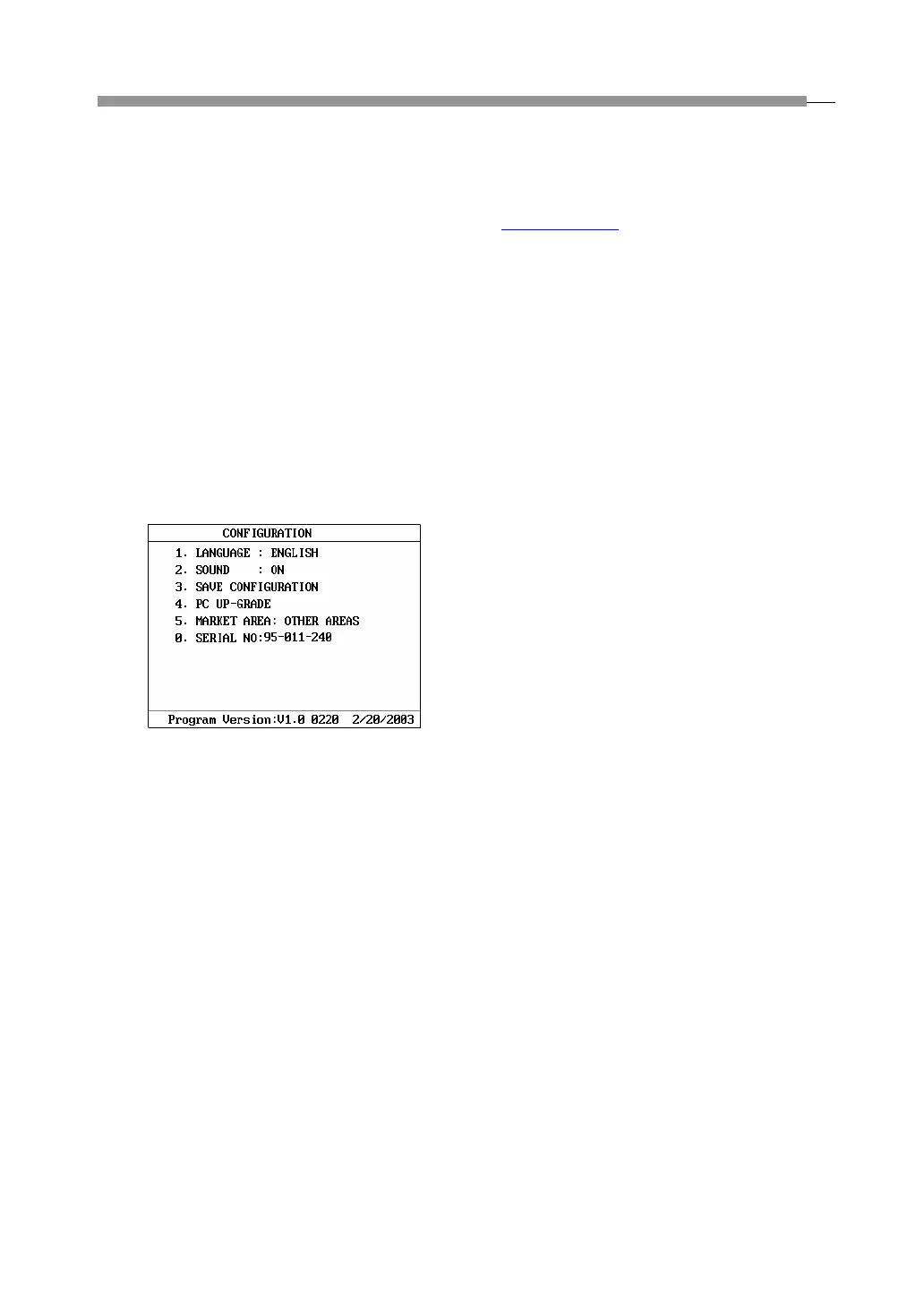
When the unit displays the main menu, press [0] key to
enter the system setting menu, as shown in Fig.1-09.
Fig.1-09
Following items can be set up in the system setting
menu.
1. [1. Language]: The system defaults English as its
language.
2. [2. Sound]: Press [2] key to set the buzzer on or
off.
3. [3. Save Configuration]: Press [3] key to save the
current configuration.
4. [4. PC update]: Press [4] key to perform the
Internet update function.
5. [Hardware Test]: Press [5] key to test the
hardware such as EMS memory, keypad, LCD,
printer port, AD channel and ignition channel.
6. [0. Serial No.]: Press [0] key to display the serial
number of the cartridge, which is the only
identification of the main unit for Internet update. It
is well set by manufacturer before delivery.
Note: Remember to press [3] key to save the
configuration after system setup.
Update
The user may download the latest KES-200 test
program and update tool from LAUNCH website:
www.cnlaunch.com
and update the program in the
cartridge.
Please see the section of “Internet Update” for detailed
information.



 To Next Page