12
DescriptionofSortingModeandSortingPattern
Chapter1OVERALLDESCRIPTIONS K4/K8
DescriptionofSortingModeandSortingPattern
Aboutmodeofsorting
♦
Followingmodesareavailable.
1)FITNESSMode....................... Sortingoutfitandunfitnotes.
2)ATMMode................................ SortingoutATM-fitnotes.
3)SORTMode............................. Sortingoutdenominations.
4)
FACE/ORIENTATIONMode
........ Sortingoutfacingororientationofnotes.
5)ISSUEMode............................ Sortingoutnewandoldissueofnotesby
eachgeneration.
FITNESSMode
OnlyforK4
♦
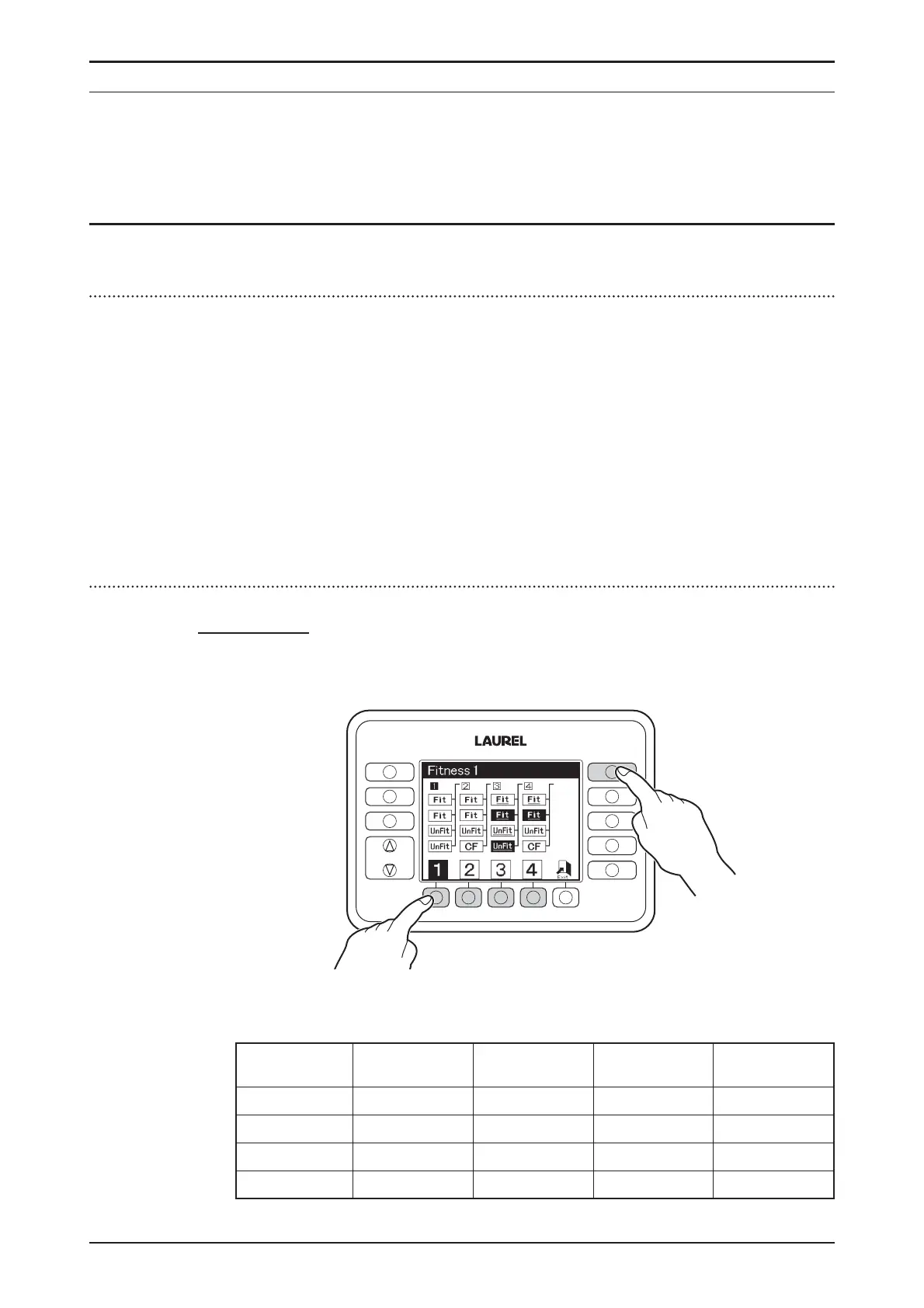
PressFITNESSkeytoactivateFITNESSModeanddisplayindicates
sortingpatternforeachpocket.
♦
PressF1keytoF4keytosetsortingpattern.Thecontentsofsorting
patternsarefollowing.
SortingPattern
1234
Pocket
Pocket1 Fit Fit Fit(Face) Fit(Face)
Pocket2 Fit Fit Fit(Unface) Fit(Unface)
Pocket3 Unfit Unfit Unfit(Face) Unfit(Face)
Pocket4 Unfit CF Unfit(Unface) CF
FUNCTION
FITNESS
SETTINGS
CF
SETTINGS
DISPLAY
FITNESS
ATM
SORT
FACE
ORIENT
ISSUE


 To Next Page