16
DescriptionofSortingModeandSortingPattern
Chapter1OVERALLDESCRIPTIONS K4/K8
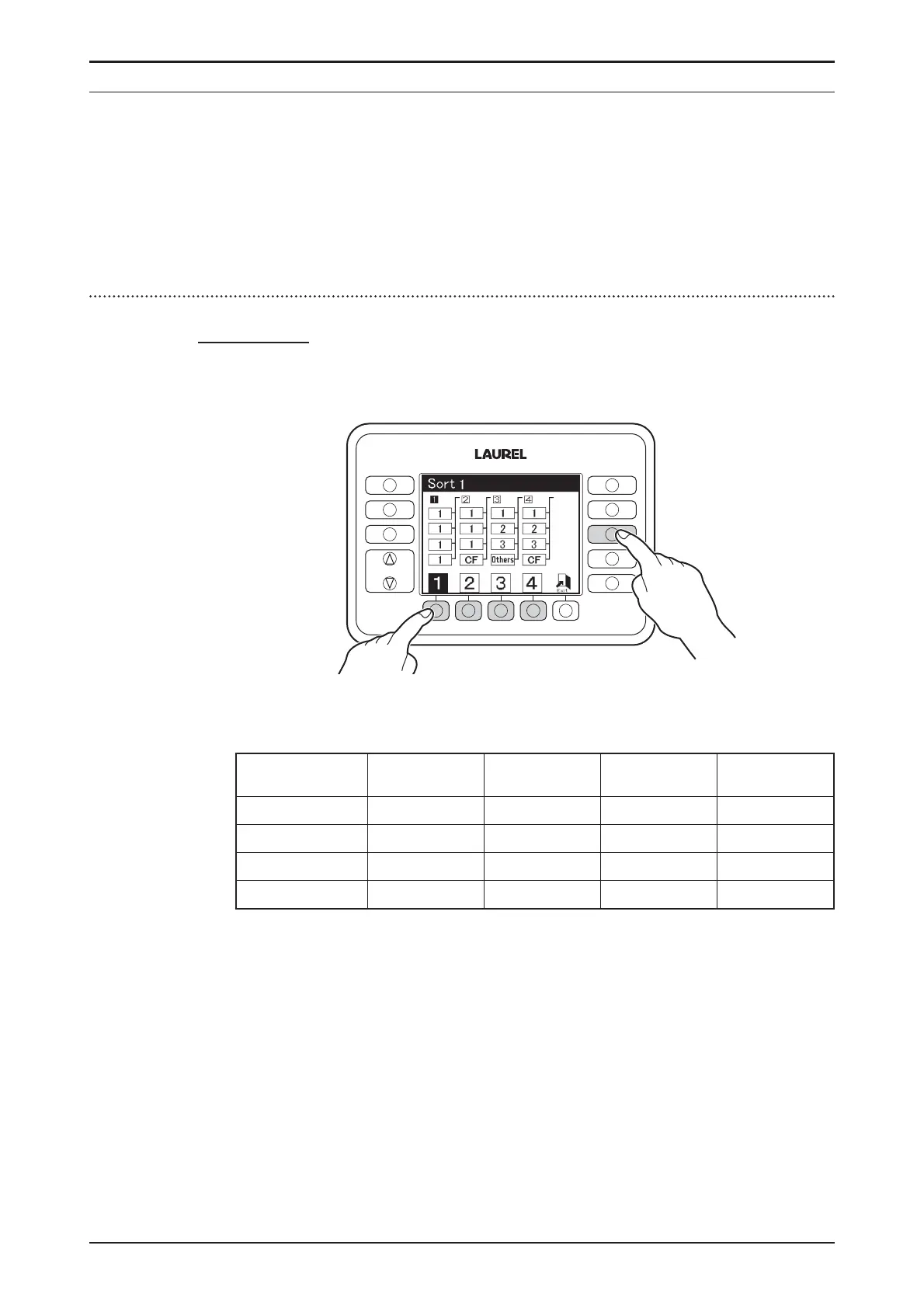
SORTMode
OnlyforK4
♦
PressSORTkeytoactivateSORTModeanddisplayindicatessorting
patternforeachpocket.
♦
PressF1keytoF4keytosetsortingpattern.Thecontentsofsorting
patternsarefollowing.
SortingPattern
1234
Pocket
Pocket1 1111
Pocket2 1122
Pocket3 1133
Pocket4 1 CF Other CF
♦
1=Firstdenominationtobecounted.
2=Seconddenominationtobecounted.
3=Thirddenominationtobecounted.
FUNCTION
FITNESS
SETTINGS
CF
SETTINGS
DISPLAY
FITNESS
ATM
SORT
FACE
ORIENT
ISSUE


 To Next Page