Count
27
Chapter2DESCRIPTIONOFOPERATIONK4/K8
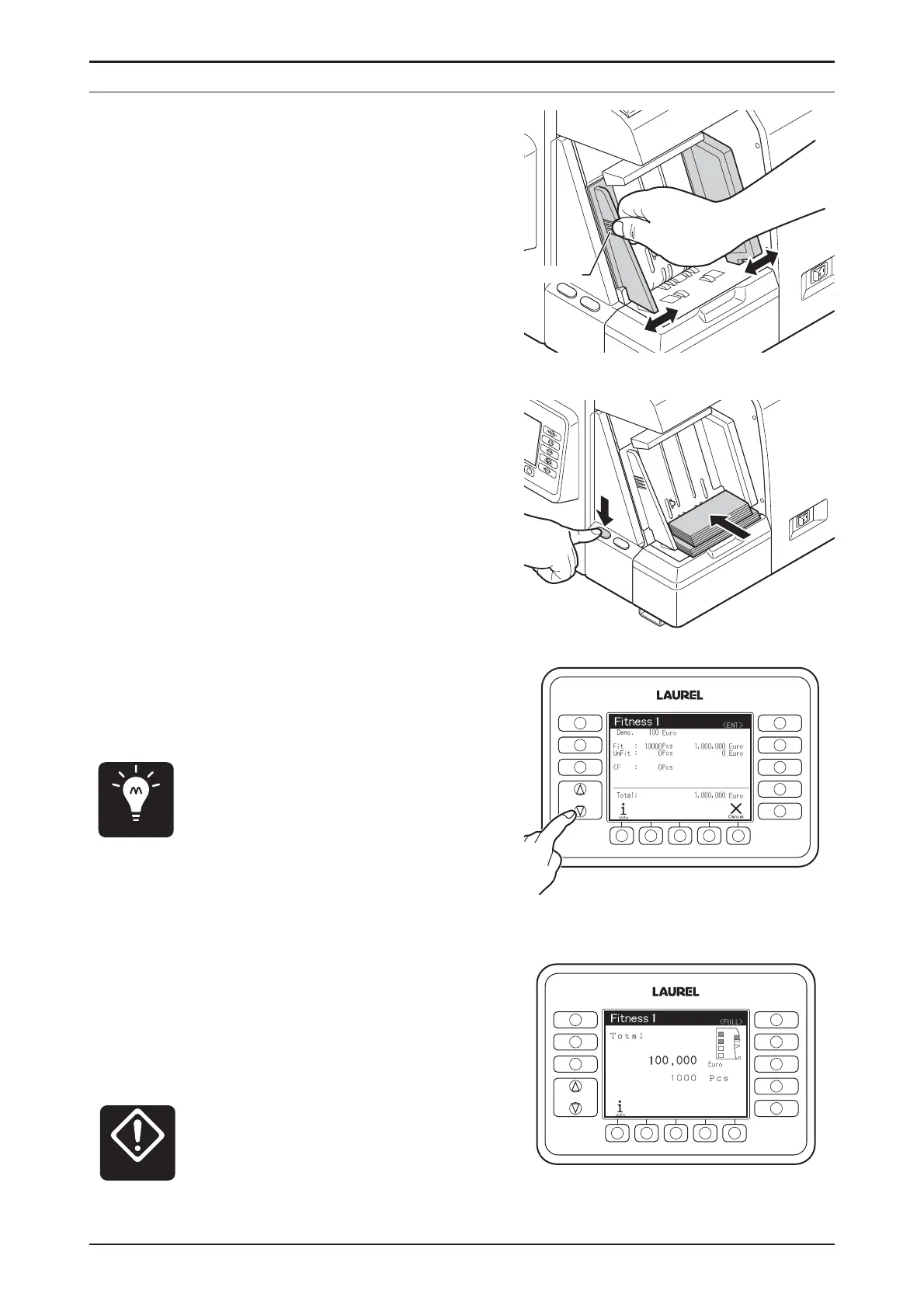
STEP-4
Alignthenotesandputthenotes
ontotheHopper.
▷ Thecountstartsautomatically.
▷If thecountdoesnotstart
automatically,pressSTART/STOP
Switchtostartcount.
▷Itispossibletoputadditional
notestotheHopper.
▷Whenthecountstarts,Main-
Displayindicatescountresultin
valueorquantity.
♦
Itispossibletocheckthe
detailedcountresultsorreject
reasonsbychangingdisplay
indication.PleaserefertoCount
Display(P.9).
▷ Whenthepocketbecomesfull,the
countstopsonceevenifnotes
remainontheHopper.Thecount
willstartafterremovingnotesat
thepocket.
♦
Thecountresultisaccumulated
tothepresenttransaction.
Thereforebesurenottorecount
thenoteswhicharetakenout
formthepocket.
Point
Miscalculation
FUNCTION
FITNESS
SETTINGS
CF
SETTINGS
DISPLAY
FITNESS
ATM
SORT
FACE
ORIENT
ISSUE
FUNCTION
FITNESS
SETTINGS
CF
SETTINGS
DISPLAY
FITNESS
ATM
SORT
FACE
ORIENT
ISSUE
STEP-3
AdjustNoteGuidetosizeofnote.
▷ Move Note Guide by holding rib
part.
ribpart


 To Next Page