FunctionSetting
47
Chapter2DESCRIPTIONOFOPERATIONK4/K8
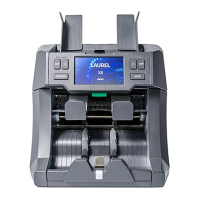
3.
SelectanumberbyF1keyorF2
keyandinputitbyF3keyENT
onebyone.
▷ Ifthepasswordisidentical,the
displayindicatesAdministrator
SettingDisplay.
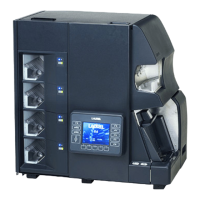
4.
ChangethesettingAdminMode
forCFLevelorFitnessSetting.........
changethepassword.
Admin
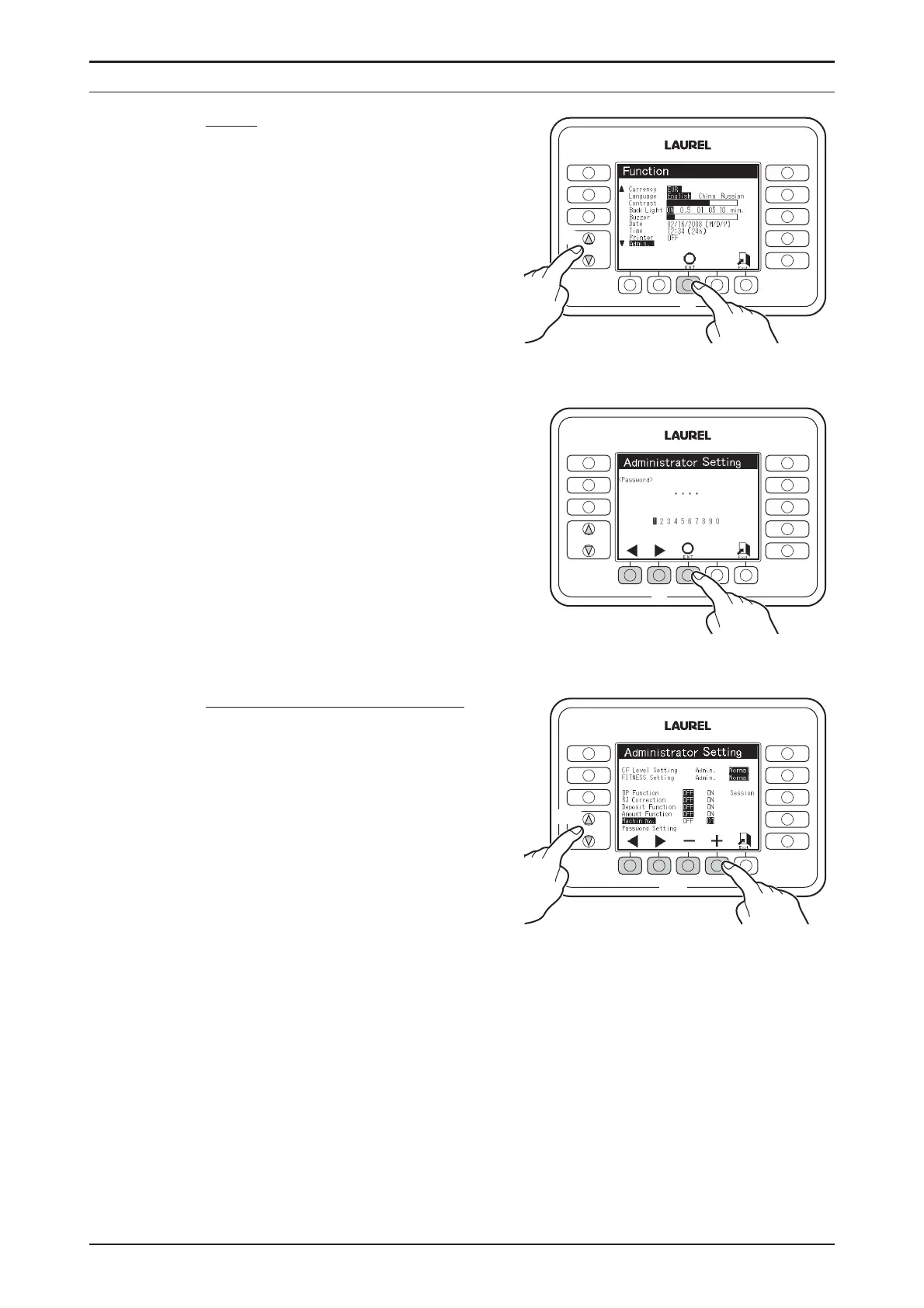
1.
MovethecursortoAdminby △ Key
or ▽ key.
2.
PressF3keyENT.
▷PasswordInput Display is
indicated.
ToactivateAdministratorMode
4-1.
Movethecursortodesired
functionby △ keyor ▽ key.
4-2.
SetstatusAdmin/Normalor
OFF/ONforeachfunctionby
F1keyorF2key.
SetmachinenumberbyF3key
−orF4key+.
CFLevelSetting
FITNESSSetting
OPFunction
DepositFunction
AmountFunction
MachineNo.
FUNCTION
FITNESS
SETTINGS
CF
SETTINGS
DISPLAY
FITNESS
ATM
SORT
FACE
ORIENT
ISSUE
2.
1.
FUNCTION
FITNESS
SETTINGS
CF
SETTINGS
DISPLAY
FITNESS
ATM
SORT
FACE
ORIENT
ISSUE
3.
FUNCTION
FITNESS
SETTINGS
CF
SETTINGS
DISPLAY
FITNESS
ATM
SORT
FACE
ORIENT
ISSUE
4-1.
4-2.
♦
Contacttoyourregionaldistributorforfurtherdetailsaboutthefunction.
Admin :PasswordisrequiredtoenterCFLevelorFitnessSetting.
Normal :PasswordisnotrequiredtoenterCFLevelorFitnessSetting.
Session:Thisfunctionindicatessectionaltotal.


 To Next Page