62
Howtoremovejamnotes
Chapter3IFANERROROCCURS K4/K8
3.
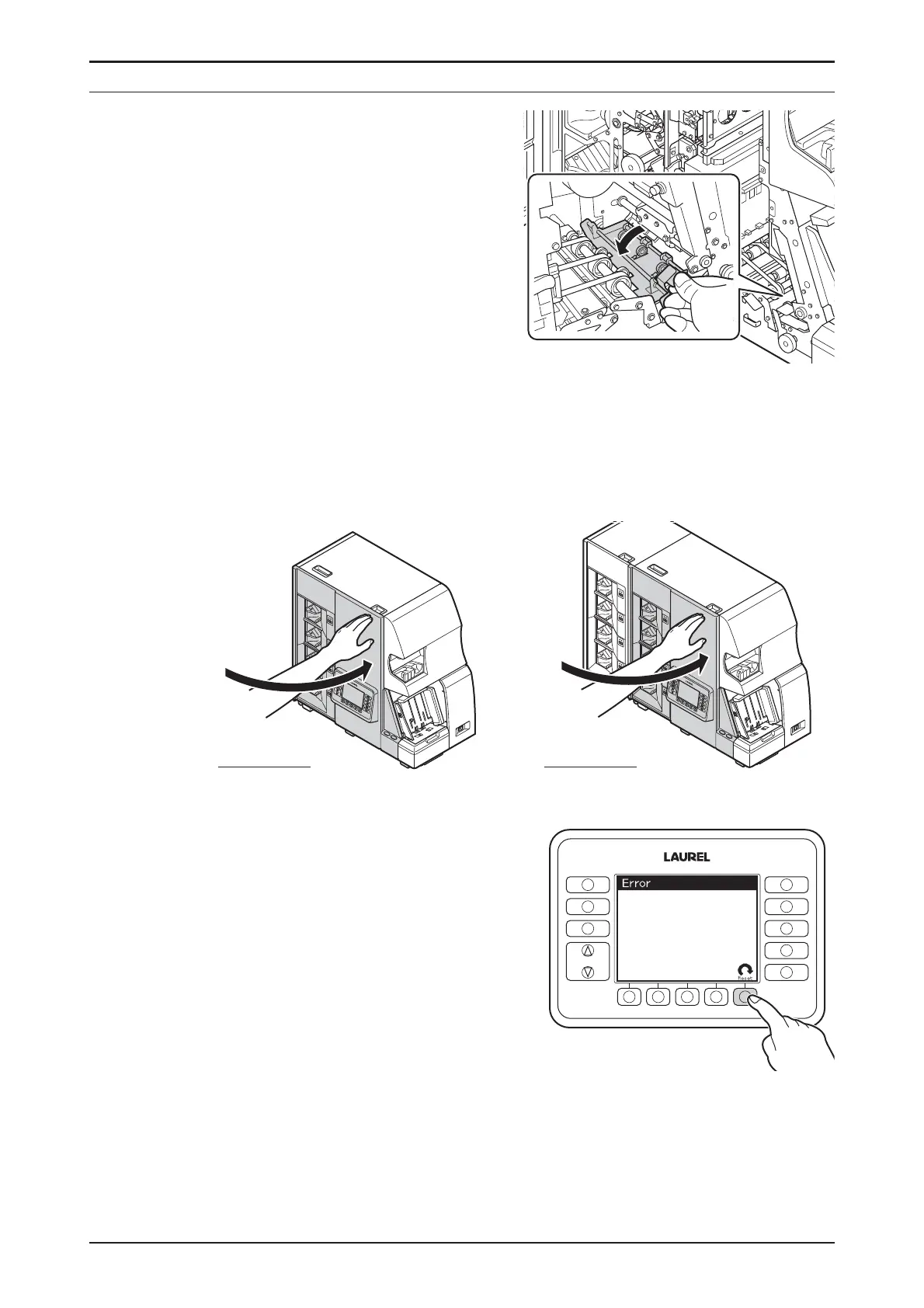
ByholdingtheLever1,closethe
TransportationPath1gently.
♦
ReleasetheLever1andmake
surethattheTransportation
Path1getslocked.
STEP-3
ClosetheFrontDoor.
▷ Theresetactiongetsstarted.
▷ Stand-byDisplayisshownaftercompletingtheresetactionnormally.
▷ Iftheresetactiondoesnotgets
started,pressF5keyResetto
activateit.
FUNCTION
FITNESS
SETTINGS
CF
SETTINGS
DISPLAY
FITNESS
ATM
SORT
FACE
ORIENT
ISSUE
OnlyforK4
OnlyforK8


 To Next Page