64
Howtoremovejamnotes
Chapter3IFANERROROCCURS K4/K8
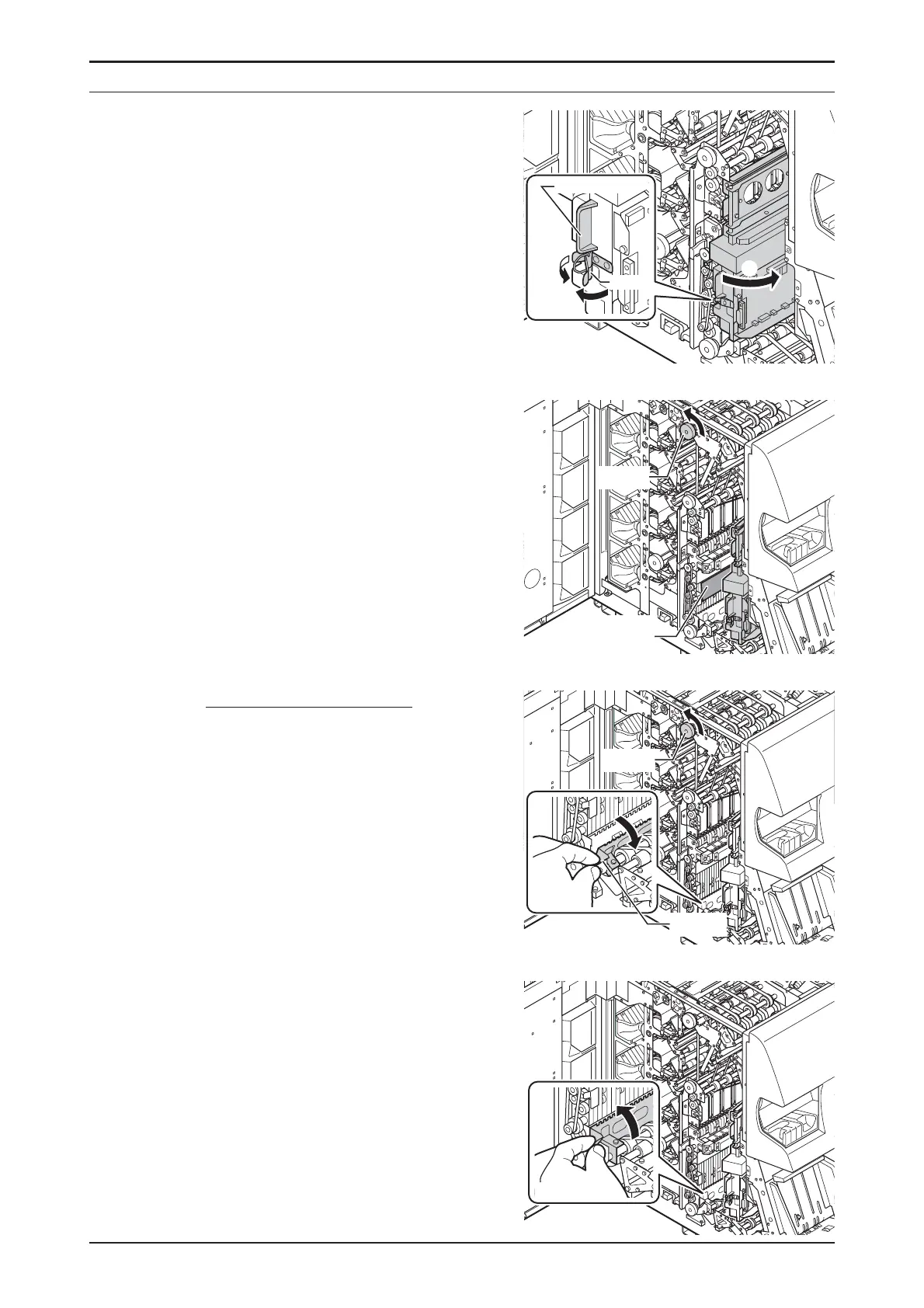
STEP-4
OpentheValidator Unitand
removeremainednotes.
1.
ReleasetheclampofValidator
Unit.
2.
OpentheValidatorUnitbyholding
theLever3.
3.
RemovenotebyrotatingKnobCin
thedirectionofthearrowmark.
Incaseanoteisblocked.
3-1.
OpentheTransportationPath
2bytheLever2andremove
anoteblockedbyrotatingthe
KnobC.
3-2.
ClosetheTransportationPath2
gently.
2.
1.
Clamp
Lever3
KnobC
Toremove
anote.
KnobC
Lever2


 To Next Page