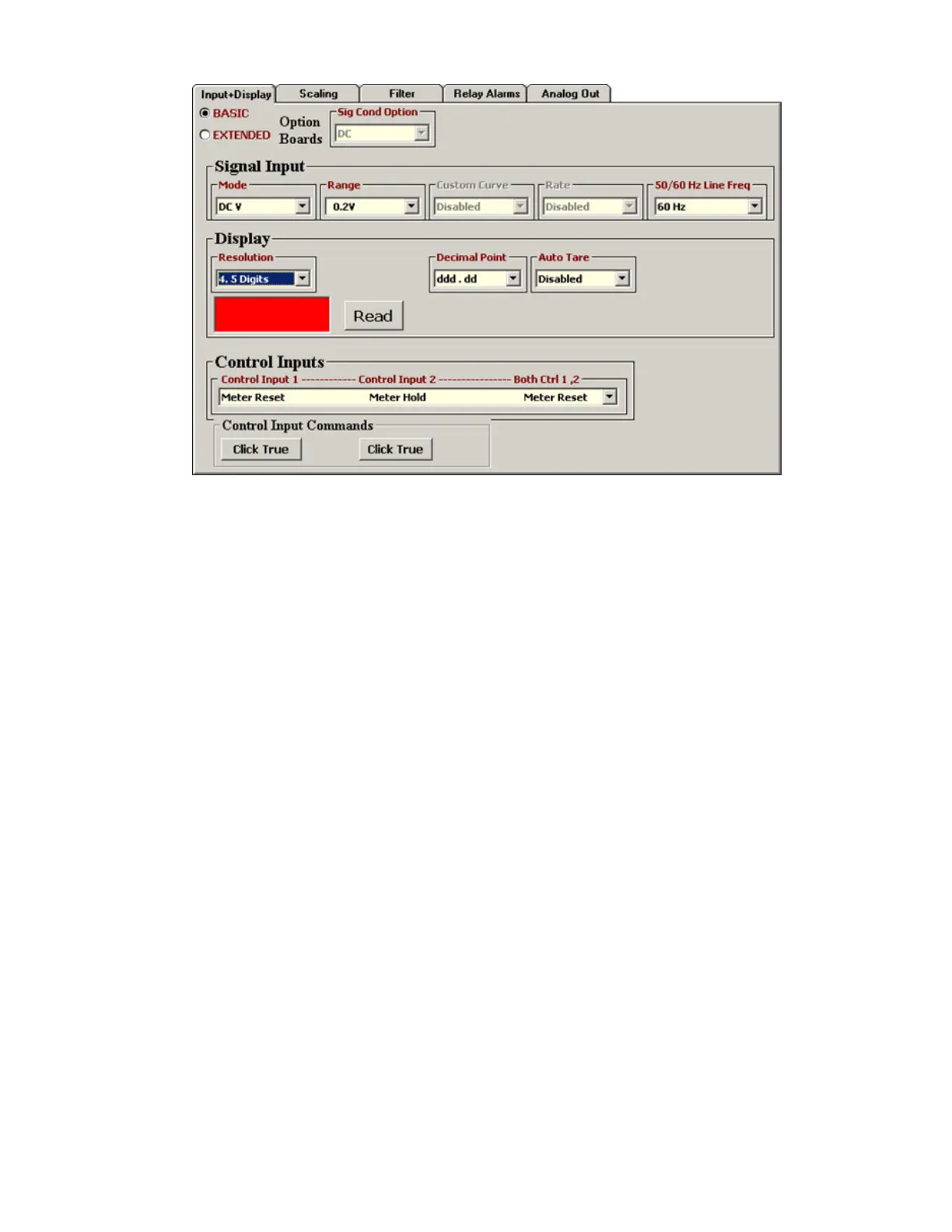
To reach the above Input+Display tab screen, follow this procedure:
1) Highlight your device under the Device Discovery tab.
2) Click on the Main Menu button. A new DPM Main Menu window will open with a help screen.
3) Click on DPM in the top menu bar. Our analog input transmitters and DPMs use the same
software. While a scaled digital reading is not displayed by transmitters, it is used internally.
4) Click on Get Setup to retrieve the setup data currently in the transmitter.
5) Click on View => Setup to reach the above setup window with five tabs.
The Input+Display tab is used to set up Signal Input, Display, and Control Inputs. Note that IS
Software reads the signal conditioner type, but not the range, which is set by jumpers. The
50/60 Hz Line Freq selection is used for best noise rejection at AC line frequency. Click on Read
to display the current reading. Press the F1 key for help with any highlighted item.
For ratiometric operation with a DC signal conditioner, set the Signal Input Mode to Ratio. In this
mode, the transmitter tracks a ratio of the applied excitation voltage and is unaffected by
changes in the excitation voltage. This capability is used for resistive bridge sensors and voltage
dividers, such as potentiometers which track wiper position.
Clicking on the Control Inputs field opens a pull-down menu which allows selection of the roles
of Control Input 1, Control Input 2, and simultaneous Control Inputs 1 and 2. For example, with
a DC signal conditioner and the highlighted selection, grounding Control Input 1 places the
transmitter on Hold, grounding Control Input 2 causes the Peak reading to be transmitted, and
grounding both Control Inputs 1 and 2 causes a Function Reset, which resets Peak, Valley and
latched alarms. Note that the roles of the Control Inputs vary with the type of signal conditioner.
Only the applicable roles will be displayed.



 To Next Page