LAVA X3
3.5. Using the Phone’s Buttons
The phone’s buttons offer a lot of functions and shortcuts.
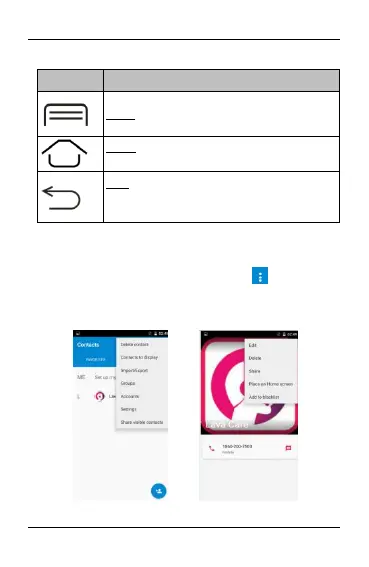
Menu: This is used for recent application
Home: returns to Home screen. Hold it to
access the list of last used applications.
Back: returns to the previous screen you were
working in, even if it was in a different
application. Can be used to hide the keyboard.
The phone provides you with Context menus and Options
menus for accessing the features in an intuitive way.
3.6. Context Menus
You can open context menu by touching key. Not all
screens have context menus. Examples of context menu from
Contacts environment:


 To Next Page