LAVA X3
3.1. Insert SIM card
X3 is a Dual SIM mobile phone allowing you to use the facility of
two networks. To insert SIM card(s):
Switch off the mobile phone and remove the rear cover and
battery.
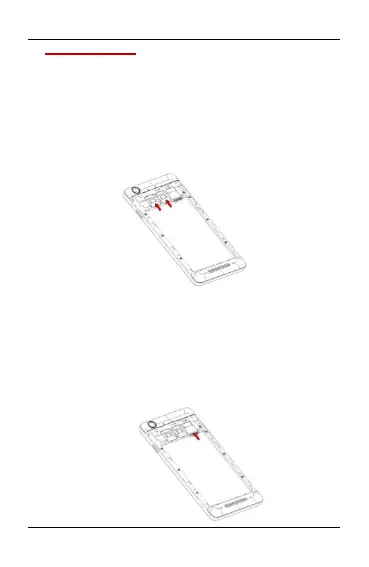
Insert the SIM card correctly in the card slot(s). (see below
fig)
Insert SIM card carefully!
Finally insert the battery and replace the rear cover of the
mobile phone.
3.2. Insert Memory card
X3 allows you to expand external memory with a micro SD card,
up to 32GB.
Power off the mobile phone, and then remove the rear
cover and battery.
Insert the memory card into the slot.


 To Next Page