LAVA X3
others.
Take a tour and explore messages settings, you’ll find
interesting things.
8.2. Using the Onscreen Keyboard
Some applications display the keyboard by default. In others,
you touch a text field where you want to enter text, to open the
keyboard.
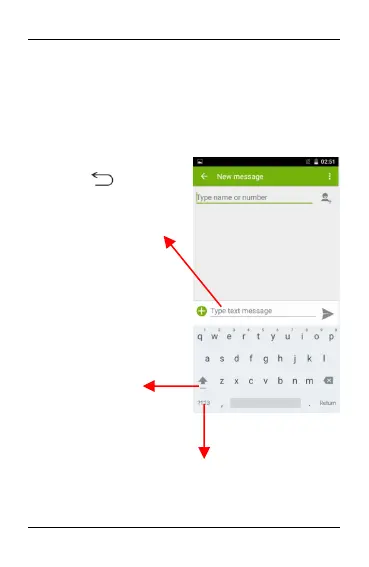
Touch once to capitalize the
next letter you type. Touch and
hold or double tap for
CapsLock.
Secondary characters panel (special,
symbols, numbers)
Write your message here. After
typing, press icon to
close the keyboard.
Touch and hold the text field to
open a menu and to copy/cut
texts.


 To Next Page