LAVA X3
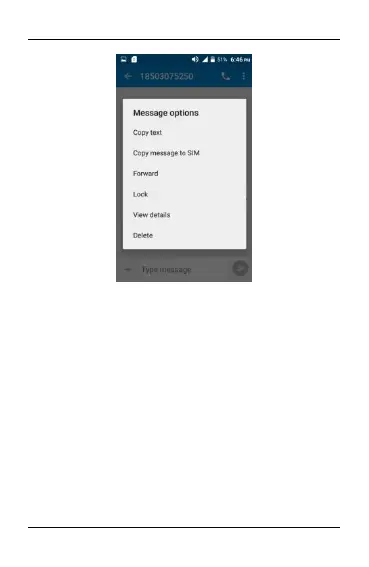
Touch and hold this message until a context menu opens.
To forward a message:
Touch forward in this menu.
Touch Send to send the message.
You can also Copy message text, save message to SIM card,
View message details and delete message.
8.5. Lock a Message
You can lock a message so it won’t be deleted if you reach your
storage limits.
Touch and hold message in a message window.
Touch Lock message in the menu that opens.
Unlock a message by touching and holding it and then touch
Unlock message.


 To Next Page