• 38 •
Installation of the machine - Service Provider Manual
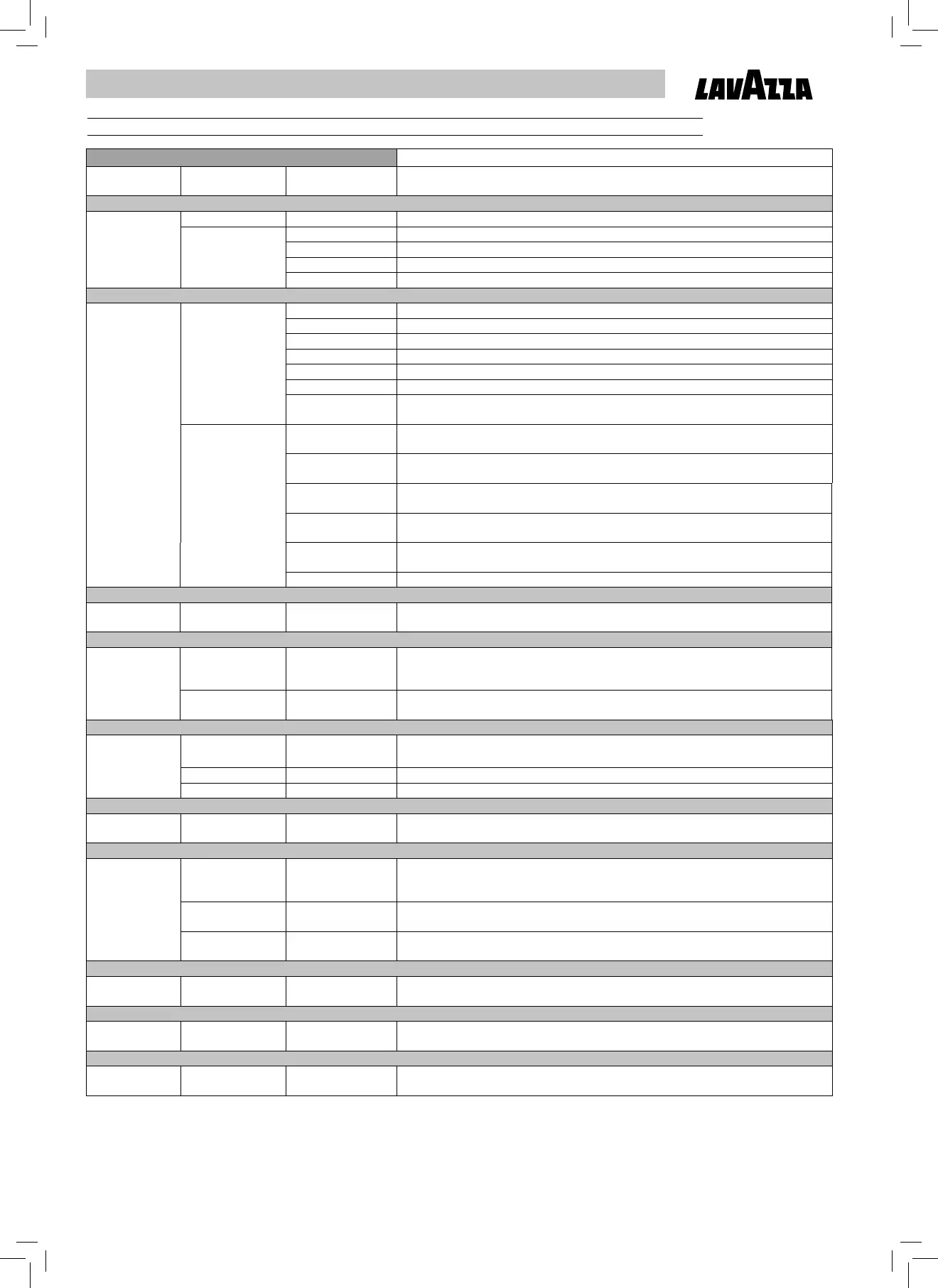
11.4 Service menu table
2. Service menu Press ENTER to access the service menu.
Password Enter password Preset default:
Default: 0000
Enter the previously entered and stored password (4 digits) to access the service menu.
2.1. Date & Time 2.1.1. Time Set time (hours and minutes)
2.1.2. Date 2.1.2.1. Day Set day
2.1.2.2. Month Set month
2.1.2.3. Year Set year
2.1.2.4. Day of the week Set day of the week
2.2. Audit 2.2.1. Total from reset 2.2.1.1. Total from reset Number of type 1, 2, 3 and 4 products dispensed since last RESET.
2.2.1.2. Prod1 from reset Number of type 1 products (espresso coffee) dispensed since last RESET.
2.2.1.3. Prod2 from reset Number of type 2 products (long coffee) dispensed since last RESET.
2.2.1.4. Prod3 from reset Number of type 3 products (manual dose) dispensed since last RESET.
2.2.1.5. Prod4 from reset Number of type 4 products (double espresso) dispensed since last RESET.
2.2.1.6. Last reset (Read only) Date and time of last RESET.
2.2.1.7. Reset audit
Default: No
“Yes” deletes all values concerning last RESET.
2.2.2. Total from init 2.2.2.1. Total from init (Read only) Number of type 1, 2, 3 and 4 products dispensed since the machine’s last initialisation.
2.2.2.2. Prod.1 from init (Read only) Number of type 1 products (espresso coffee) dispensed since the machine’s last initialisation.
2.2.2.3. Prod.2 from init (Read only) Number of type 2 products (long coffee) dispensed since the machine’s last initialisation.
2.2.2.4. Prod.3 from init (Read only) Number of type 3 products (manual dose) dispensed since the machine’s last initialisation.
2.2.2.5. Prod.4 from init (Read only) Number of type 4 products (double espresso) dispensed since the machine’s last initialisation.
2.2.2.6. Last init. (Read only) Date and time of the machine’s last initialisation
2.3. Brew unit wash 2.3.1. Brew unit wash
Default: No
“Yes” starts the brew unit wash cycle.
2.4. Rinsing 2.4.1. At the start?
Default: Yes
“No” deactivates the rinse cycle at every machine start-up.
Notes: The rinse cycle is performed at every machine start-up only if the temperature of the boiler is lower than 50°C;
the cycle starts once the warm-up phase has ended.
2.4.2. Each 24 hrs.
Default: Yes
“No” deactivates the rinse cycle every 24 hours.
2.5. Descaling 2.5.1. Do it now
Default: No
“Yes” starts the descaling cycle
2.5.2. Last descal. (Read only)Date and time of last descaling cycle.
2.5.3. Remaining qty (Read only) Water quantity (litres) to be dispensed before having to perform the next descaling cycle.
2.6. Filter cleaning 2.6. Filter cleaning
Default: No
“Yes” starts the wash cycle for the water softening fi lter.
2.7. Errors 2.7.1. Error log 2.7.1.1.
Display errors
with up/down buttons
(Read only) The 5 most recent errors are displayed. Can only be accessed if there is at least one error in the list.
0 = oldest error
5 = latest error
2.7.2. Log reset
Default: No
“Yes” clears the list of recent errors.
2.7.3. Error reset
Default: No
“Yes” clears the non self-resolving “Out of service” errors.
2.8. Credits 2.8.1 Warning level
Default: 30
Sets the minimum number of credits at which the alarm message is displayed.
Values (0…255)
2.9. Security 2.9.1. Password
Default: 0000
Changes the password to access the service menu (4 digits) from the default value (0000)
2.10. Identifi cation 2.10.1. Operator PIN
Default: 00000
Identifi es the service provider or operator code:
Numerical value between 0 and 65535.


 To Next Page
 Loading...