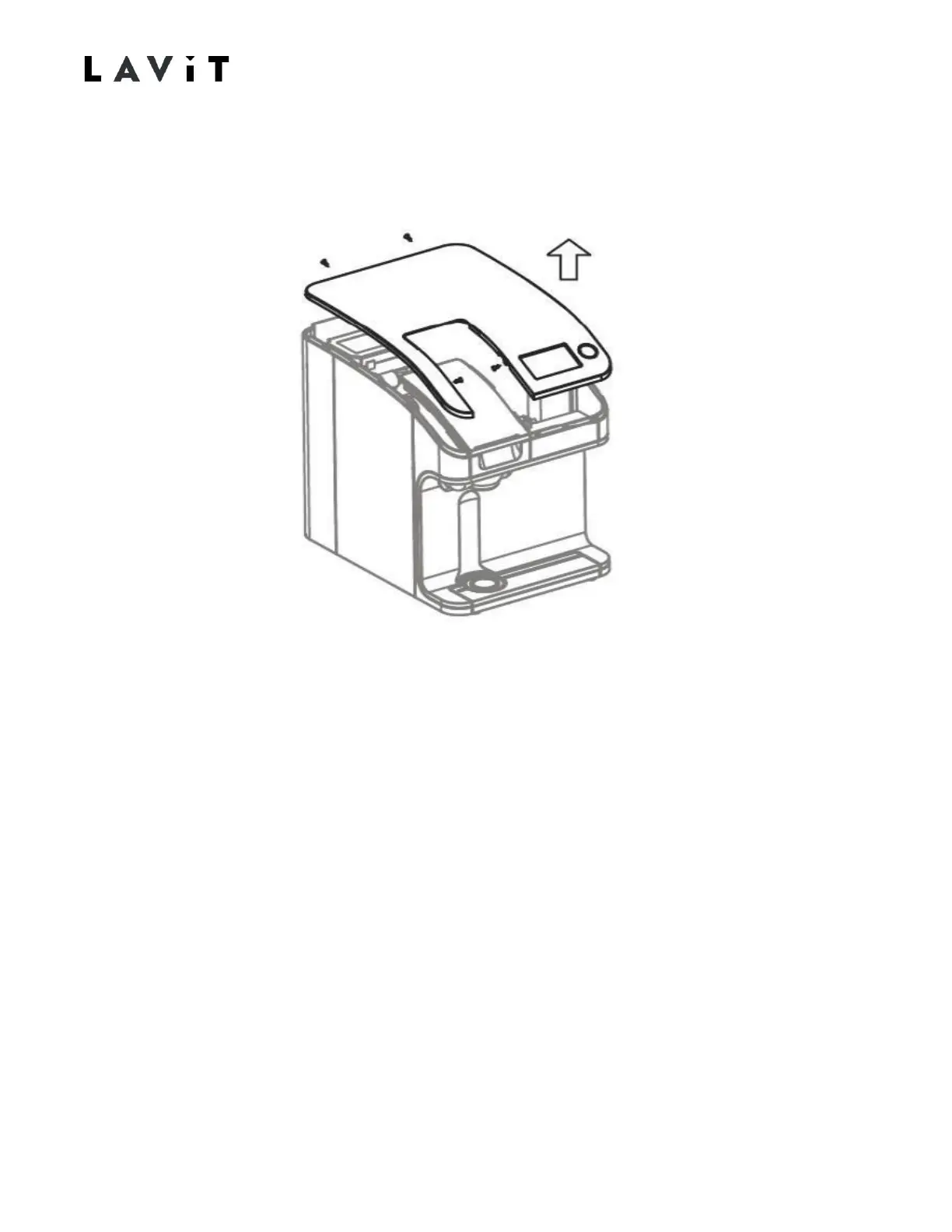
Removing the Top Cover
1. Remove the two screws in the chamber internal side walls.
2. Remove the two screws in the upper rear of the unit.
3. Pull the top cover off starting at the back and pulling up and forward.
4. Unplug the connector to the touchscreen PCB and unplug the Lavit Button connector.
5. Set top cover aside.
To reinstall:
1.
Connect the touchscreen and Lavit Button leads to their respective PCB’s.
2.
Press top panel on starting from the front and work towards the rear. Ensure a proper
fit with no gaps between the cover and side panels.
3.
Fix with the four screws removed in steps 1 and 2 above.


 To Next Page