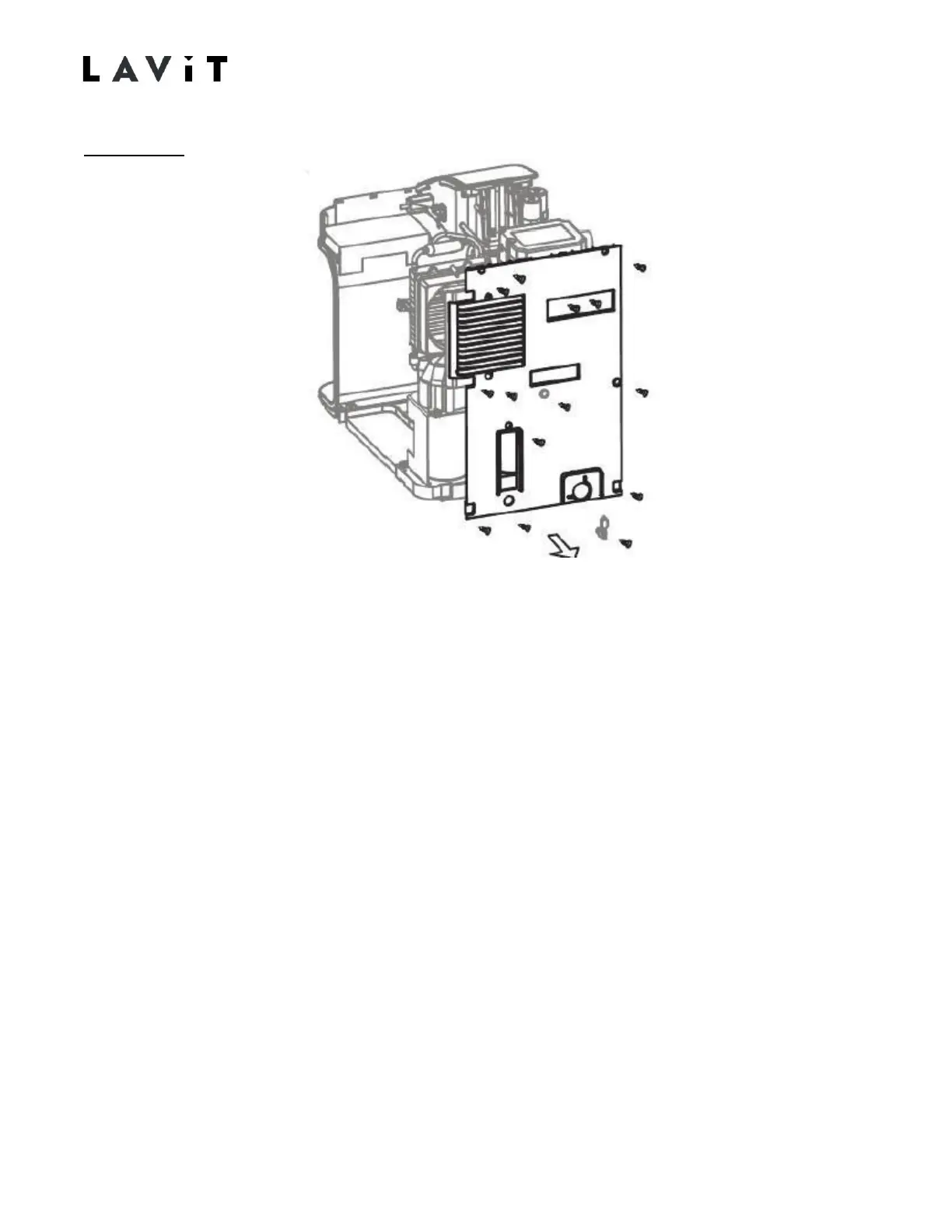
Rear Panel
1. Remove power cord and inlet water line. Drain the cold-water tank. Set the drain
and drain hold down screw aside.
2. Remove the top cover. (2 top screws)
3. Remove the left and right-side screws. (2 on each side)
4. Remove the fan housing screws which are recessed on the top and bottom of rear air
louver. (2)
5. Remove the Power Switch and the CO2 purge screws. (3)
6. Remove the center screw. (1)
7. If the side panels are not already removed, remove the rear side panel screws on the
underside of left and right-side panels. This provides freedom to swing the side
panels away to clear the rear panel.
8. Remove the rear panel. The panel is pressed fitted onto the fan housing. Use enough
force to dislodge.
50
TM170915-B


 To Next Page