V1.0/246 V_pro8 Manual
Operation (Web Browser Control)
Operating Principles
Channel Selection & Parameter Control
For many operations, you will need to select a channel, or channels, and then adjust a parameter
value. To demonstrate this, we are going to apply delay to one of the SDI inputs.
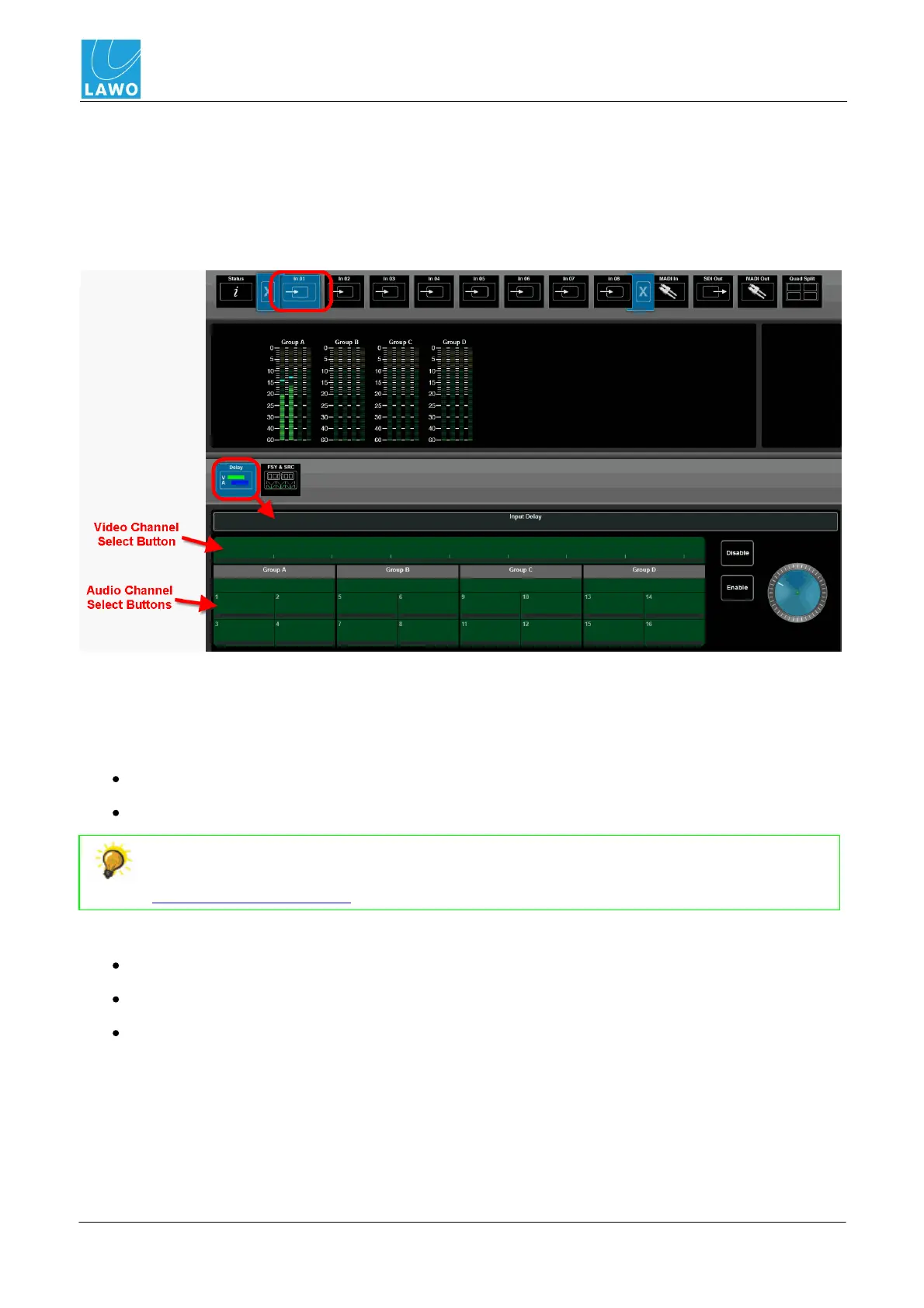
1. Select SDI In and In 01 (main menu), and then select Delay (sub menu).
At the bottom of the operating window, you will see the Input Delay parameters for SDI In 01:
Each channel has its own select button. The green buttons indicate that we are looking at SDI
channels. If you select MADI In (main menu) and MADI Delay (sub menu), then you will see blue
channel select buttons.
2. Choose the channels you wish to adjust to clicking on the select buttons. You can either:
Single-click to make additive selections.
Double-click to make an isolated selection. This clears all other selections.
In either case, you can select an individual channel or a block of channels, by clicking
directly on the numbered channel button OR clicking in between (on the black lines). See
Multiple Channel Selection.
The channel buttons change colour as follows:
Light Blue = selected channels.
Green (or Blue) = unselected SDI (or MADI) channels.
Dark Blue = a valid channel selection (you will see this colour as you hover your mouse over
the buttons).



 To Next Page