LCF Technics Product User Guide
Technical Service Menu
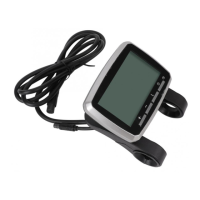
The VLCD5 contains a service menu that should only be used by qualified service personnel. It is
not normally necessary to access this menu other than for initial setup and system configuration.
To enter the service menu:
At the first screen after initialisation: Press the Power and Information buttons simultaneously
until SEr is displayed, then release both buttons,
Then quickly press the information button 4 times in succession (full cycle through 'Toggle Modes').
This will bring you to the Service Menu.(d1 is displayed).
The LCD will exit the service menu after a few seconds without user input.
There are 8 modes in the Service Menu in addition to the normal 4:
1. Odometer (default)
2. Trip distance
3. Average speed
4. Trip time
5. Wheel diameter selection
6. Spoke magnet number selection
7. Imperial/Metric unit selection,
8. Walk assist (6Kph) function selection,
9. Assist limit selection
10. Power adjustment selection
11. Zone Mode selection. (Preset).
12. Software Version display.
LCF Technics Limited | The Old Library, Remount Farm, Lusk, Co Dublin, Ireland, K45 XP26 | https://lcftechnics.eu/
Phone: +353 (0) 85 261 6555 | Email: service@lcftechnics.eu | Copyright © 2021 LCF Technics
Page 11


 To Next Page