LCF Technics Product User Guide
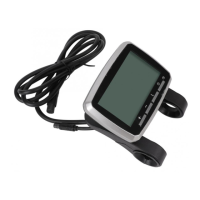
VLCD5 Operation
1) Power:
Press this button to power on the LCD display. Press and hold the button for 2 seconds to power
off. The display will power down after 5 minutes of inactivity.
Important: Do not touch or move the pedals during initialisation.
2) Assist level selection:
There are 4 levels of assistance. Press the +/- buttons to adjust the power assist level. The default
is ECO (min). TURBO is max (300%).
3) Toggle mode selection:
There are 4 selectable modes.
• Odometer
• Trip Distance
• Average Speed
• Trip Time
Press the info button to change/toggle through the available modes. Default is odometer.
LCF Technics Limited | The Old Library, Remount Farm, Lusk, Co Dublin, Ireland, K45 XP26 | https://lcftechnics.eu/
Phone: +353 (0) 85 261 6555 | Email: service@lcftechnics.eu | Copyright © 2021 LCF Technics
Page 8


 To Next Page