Page 5 of 19
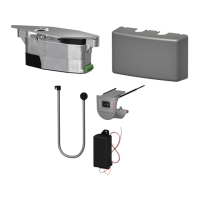
2.1 Remove Control Box from Operator Mounting Bracket, then remove Motor/Gearbox from
Bracket:
2.2 Prepare Header/Frame and Door: 27” Pull System ..............................Page 6
Full Length Pull System..................Page 6
27” Push System............................Page 7
Full Length Push System ...............Page 7
Double Push System......................Page 8
Low Ceiling Application ..................Page 8
2.3 Install Operator Mounting Bracket on Header/Frame.
For Full Length systems, also install Switch Bracket on Header/Frame.
2.4 Install Motor/Gearbox on Operator Mounting Bracket.
Then install Control Box on Bracket.
2.5 Proceed to Chapter 3: Wiring (Page 9).
2. OPERATOR INSTALLATION


 To Next Page