SP 600 PROFESSIONAL POWER AMPLIFIER USER MANUAL PAGE
13/9 V-1
4-2)When the temperature of the power stage becomes too high.
4-3)In case of a technical defect : DC protection.
5/6.) CHA ( Channel A ) / CHB ( Channel B ) Input Level Control (Volume)
These potentiometers are used to control the input volume of the amplifier. In bridge or parallel mode,
only CHA (Channel A ) is active.
7/8.) Power and CHA / CHB Signal indicators:
First LED around the input level control potentiometer is the Power indicator. This lights up when the
power is on.
9)Power switch
When switching on the power, it takes about 3~ 4 seconds to complete the soft start-up function, the
amplifier is then ready to work.
10/11) LIMIT LED: When the input signal voltage is too high, the limit LED will be on.
The limiter reduces the average input level when the signal begins to distort; this process is designed to
reduce distortion and protect the speakers. Please reduce the signal input level when the LIMIT LED is
on.
5.
..
.Rear Panels
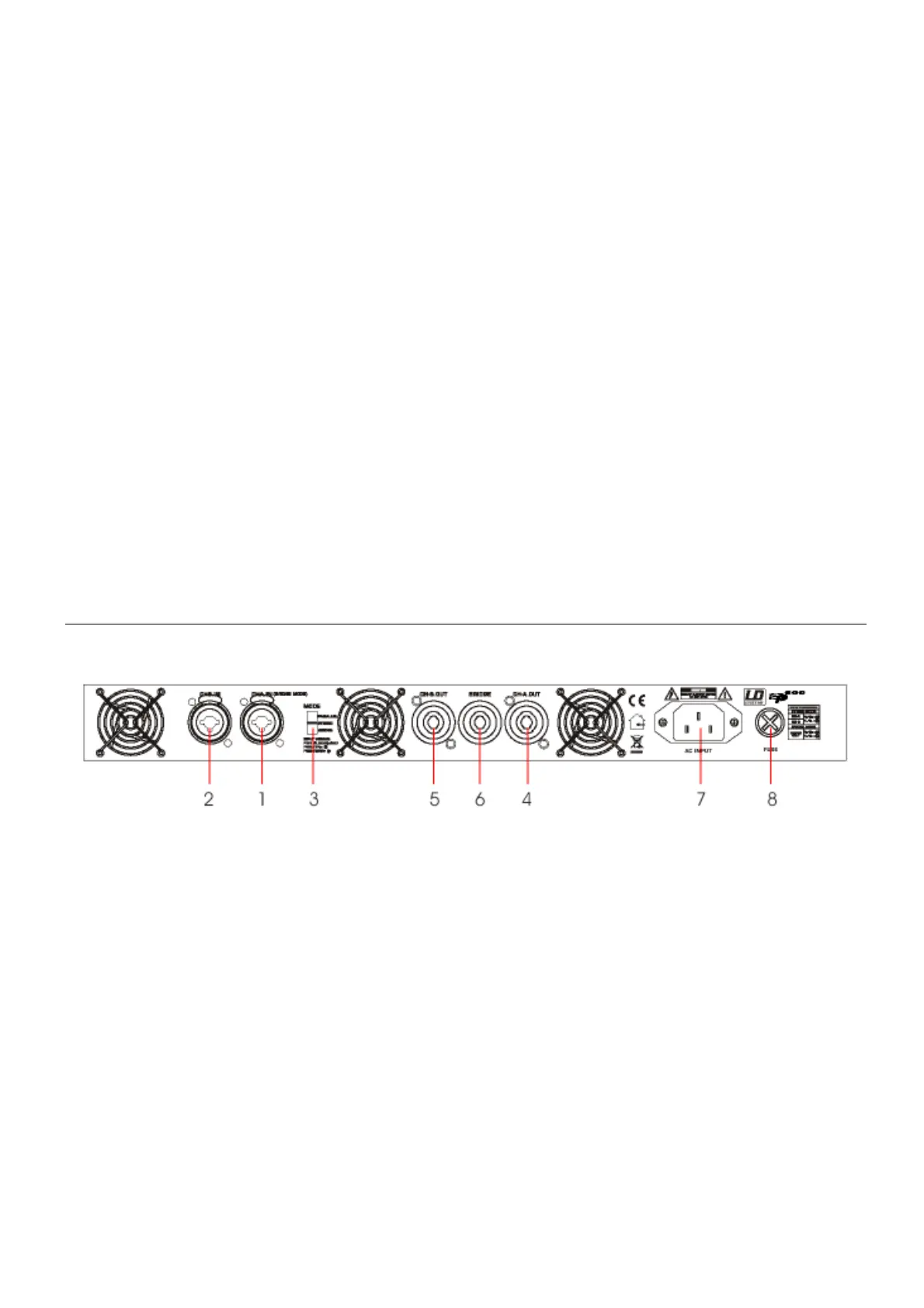
1/2. ) CHA/CHB input Combo connectors :
Combination of 3-pin XLR & 6.35 (1/4”) JACK connectors.
Pin 1:Ground / Pin 2:Signal + / Pin 3:Signal -
3) Mode Switch: The amplifier is shipped in “ Stereo “ mode.
You can select between Stereo, Bridge, or Parallel mode.
STR/ Stereo Mode: You have to connect the input and output of both channels.
BTL/ Bridge Mode: The input signal must be applied to CH A only.
PAR/ Parallel Mode: The input signal must be applied to CH A only.
4) CHA output
5) CHB output


 To Next Page